August 11, 2026
Ransomware is no longer a threat reserved for large corporations, government agencies, or healthcare organizations. Today, small and midsize businesses (SMBs) have become some of the most attractive targets for cybercriminals.
The FBI's Internet Crime Complaint Center, or IC3, received 3,611 reports of ransomware in 2025, while the Verizon 2025 Data Breach Investigations Report found that ransomware was involved in 88% of breaches affecting small and midsize businesses, compared with 39% at large organizations.
This guide explains what ransomware is, why small businesses are increasingly targeted, the most common types of ransomware attacks, and the practical steps organizations can take to reduce their risk.
TABLE OF CONTENTS
- What Is Ransomware?
- Why Small Businesses Are the Primary Target
- 8 Common Types of Ransomware Attacks
- How Ransomware Attacks Happen Step by Step
- What a Ransomware Attack Actually Costs
- Ransomware Protection Strategies That Actually Work
- Building a Ransomware Recovery Plan
- Take the Next Step Toward Better Security
- Frequently Asked Questions
What Is Ransomware?
Ransomware is malicious software that locks you out of your own files or systems, usually by encrypting them, and demands payment to restore access. In many modern attacks, the criminals also steal a copy of your data before encrypting it, then threaten to leak it publicly if you don't pay. Security researchers call this double extortion, and it's now the standard playbook rather than the exception.
Once ransomware activates, you'll typically see a message on screen (or in a text file dropped across your systems) explaining what happened, what the attackers want, and a deadline. Behind that message is a criminal group, sometimes an individual, often part of a larger network that rents out ransomware tools to other attackers.
This rental model is called Ransomware as a Service, and it's a big reason attacks against small businesses have grown so fast. You no longer need to be a skilled hacker to launch a ransomware attack. You just need to rent access to one.
Why Small Businesses Are the Primary Target
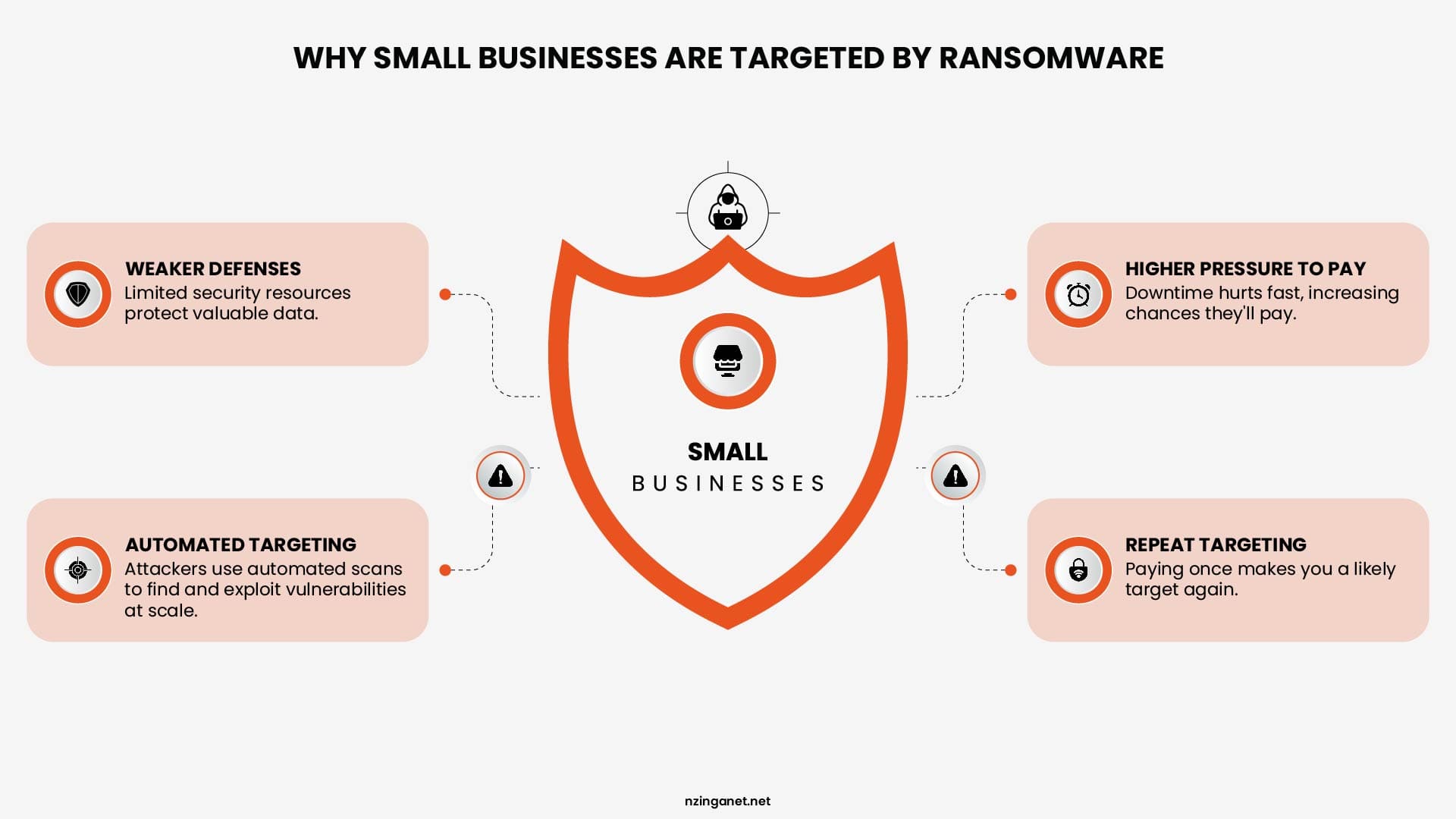
Ransomware attackers target businesses where they can exploit weaknesses, cause disruption, and increase the chances of receiving payment. Small businesses are often affected because attackers use automated tools and common techniques to identify vulnerabilities across many organizations.
Here are the key reasons small businesses have become frequent ransomware targets:
- Weaker defenses, same valuable data: Small businesses often hold customer records, payment details, and vendor access, the same kind of data larger companies protect, but without a dedicated security team watching for problems. Only 11 percent of small businesses have deployed AI powered security defenses, and 90 percent of organizations lack the ability to counter AI equipped attacks.
- Higher willingness to pay: Smaller companies often can't survive extended downtime, so they're more likely to pay quickly just to get operations running again. Attackers know this and price their demands accordingly.
- Automated targeting: Most ransomware attacks aren't hand picked against your business specifically. They're automated scans looking for exposed remote access ports, outdated software, and weak passwords across thousands of businesses at once. If your systems show up as vulnerable, you become a target regardless of your size or industry.
- Repeat targeting: If you pay once, you're more likely to be attacked again. 78% of businesses that paid a ransom were attacked a second time. Paying doesn't close the door. It tells attackers you're an easy mark.
8 Common Types of Ransomware Attacks
Although ransomware variants use different methods to infect systems and execute attacks, they all aim to pressure victims into paying a ransom. They do this by encrypting data, blocking access to critical systems, disrupting business operations, or threatening to leak sensitive information.
By understanding the most common types of ransomware attacks, small businesses can better recognize potential threats and take proactive steps to strengthen their cybersecurity defenses.
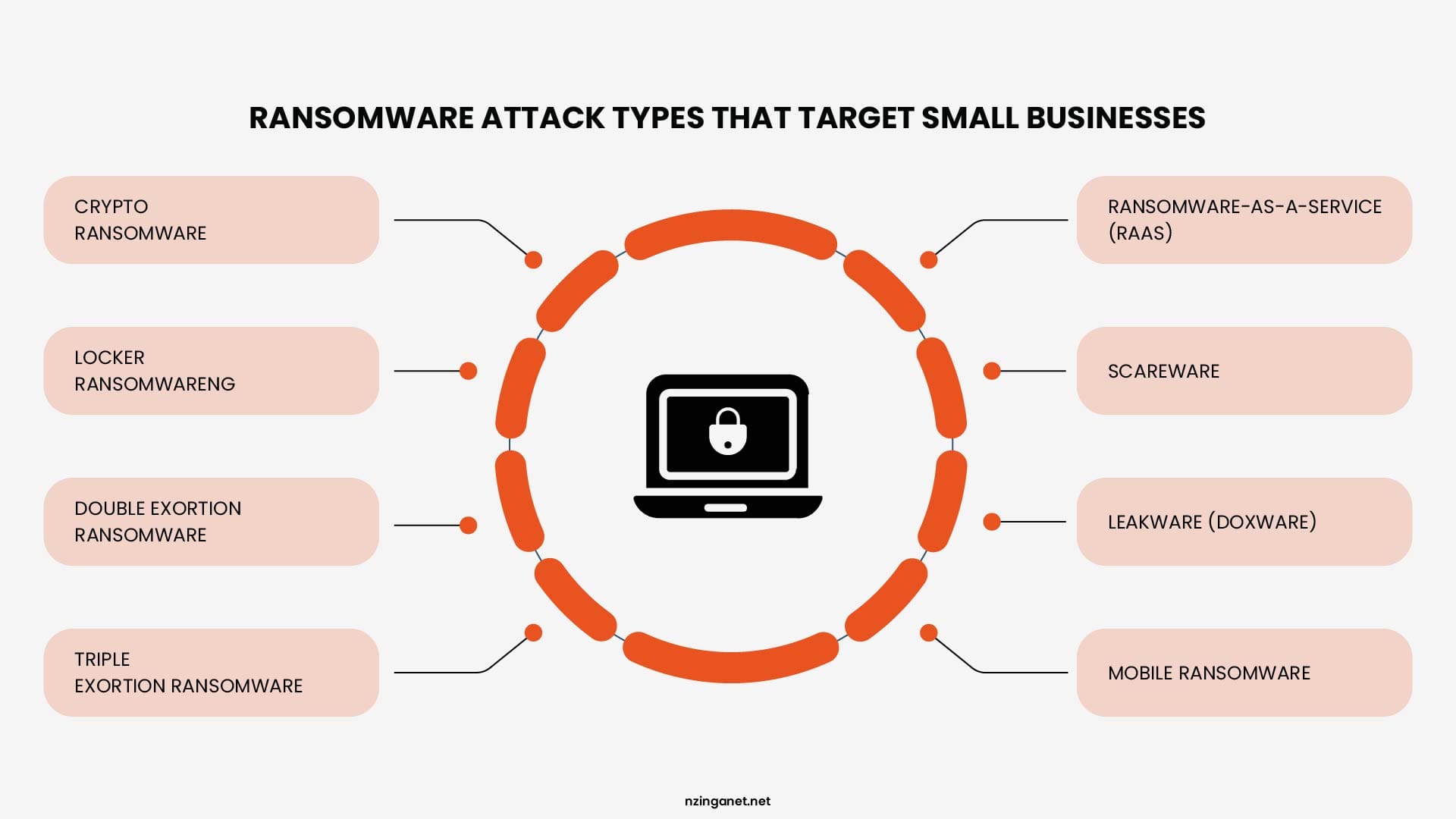
Crypto Ransomware
Crypto ransomware is the most common type of ransomware. It encrypts files, databases, and other critical business data, making them inaccessible without a decryption key controlled by the attacker. Victims are typically instructed to pay a ransom in cryptocurrency to recover their files.
Locker Ransomware
Locker ransomware prevents users from accessing an entire device or operating system instead of encrypting individual files. Although the data may remain intact, employees cannot use the affected computers until the system is unlocked, causing significant operational disruption.
Double Extortion Ransomware
Double extortion has become a common tactic among modern ransomware groups. Before encrypting files, attackers steal sensitive data and threaten to publish or sell it if the ransom is not paid. This increases pressure on organizations that handle confidential customer, financial, or employee information.
Triple Extortion Ransomware
Triple extortion builds on the double extortion model by applying additional pressure. In addition to encrypting and stealing data, attackers may target customers, suppliers, business partners, or even launch distributed denial-of-service (DDoS) attacks to force victims into paying.
Ransomware-as-a-Service (RaaS)
Ransomware-as-a-Service is a criminal business model in which ransomware developers lease their malware to affiliates in exchange for a share of the ransom payments. This model has lowered the barrier to entry for cybercriminals and contributed to the rapid growth of ransomware attacks worldwide.
Scareware
Scareware displays fake security warnings claiming that a computer is infected with malware. Victims are pressured into paying for fake security software or unnecessary services. Unlike crypto ransomware, scareware usually does not encrypt files, but it relies on fear and deception to obtain money.
Leakware (Doxware)
Leakware, also known as doxware, focuses on data theft rather than encryption. Attackers steal sensitive files and threaten to release them publicly unless a ransom is paid. Organizations that store confidential business information or customer data are particularly vulnerable to this form of extortion.
Mobile Ransomware
Mobile ransomware targets smartphones and tablets running Android or other mobile operating systems. It may lock the device, encrypt stored data, or prevent access to business applications. As employees increasingly use mobile devices for work, this threat continues to grow.
How Ransomware Attacks Happen Step by Step
Ransomware attacks follow a series of stages that allow attackers to gain access, expand their control, and maximize the impact before revealing themselves. Understanding this attack surface lifecycle can help businesses identify opportunities to detect and stop an attack before it reaches the encryption stage.
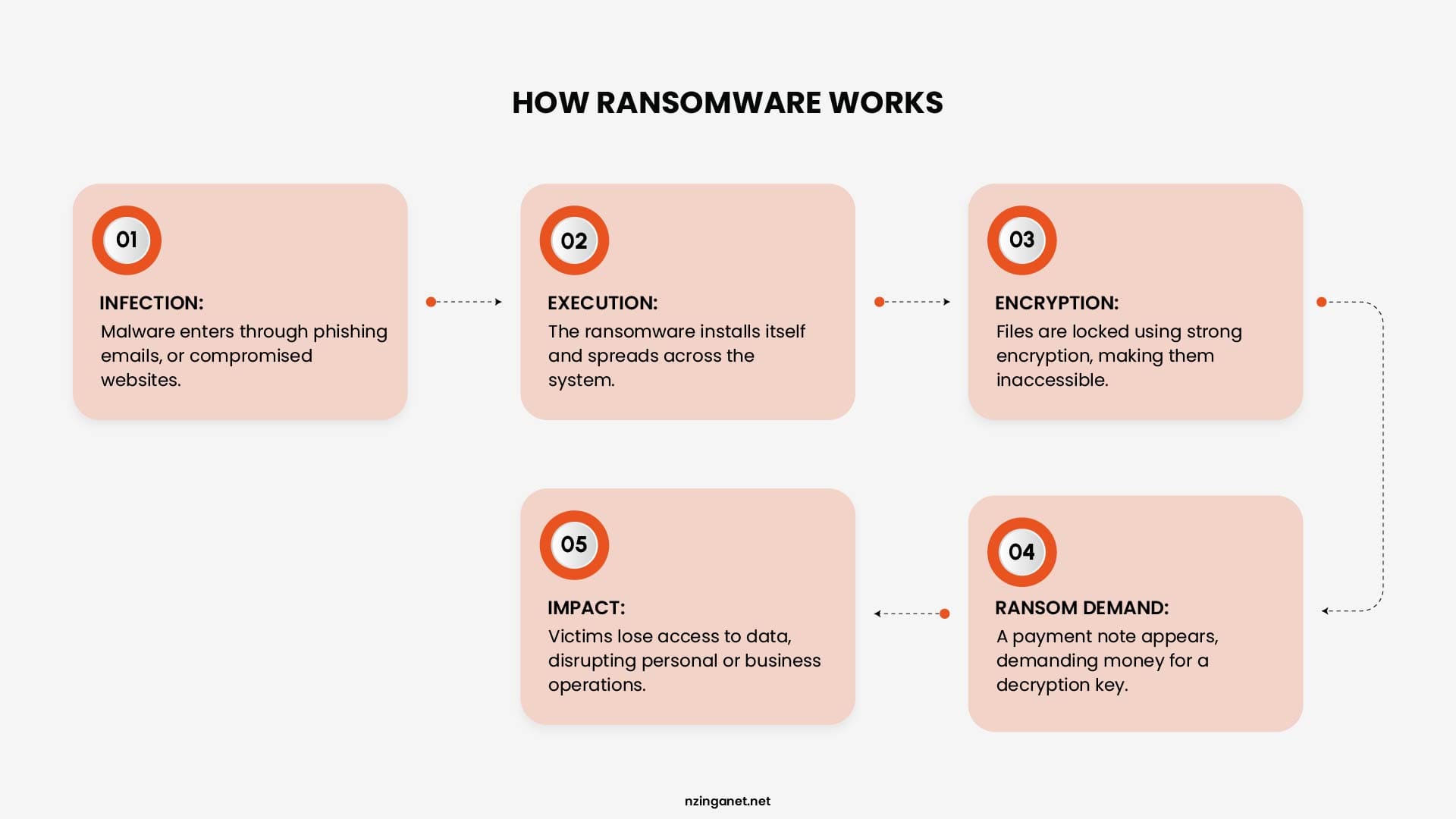
Step 1: Initial Access
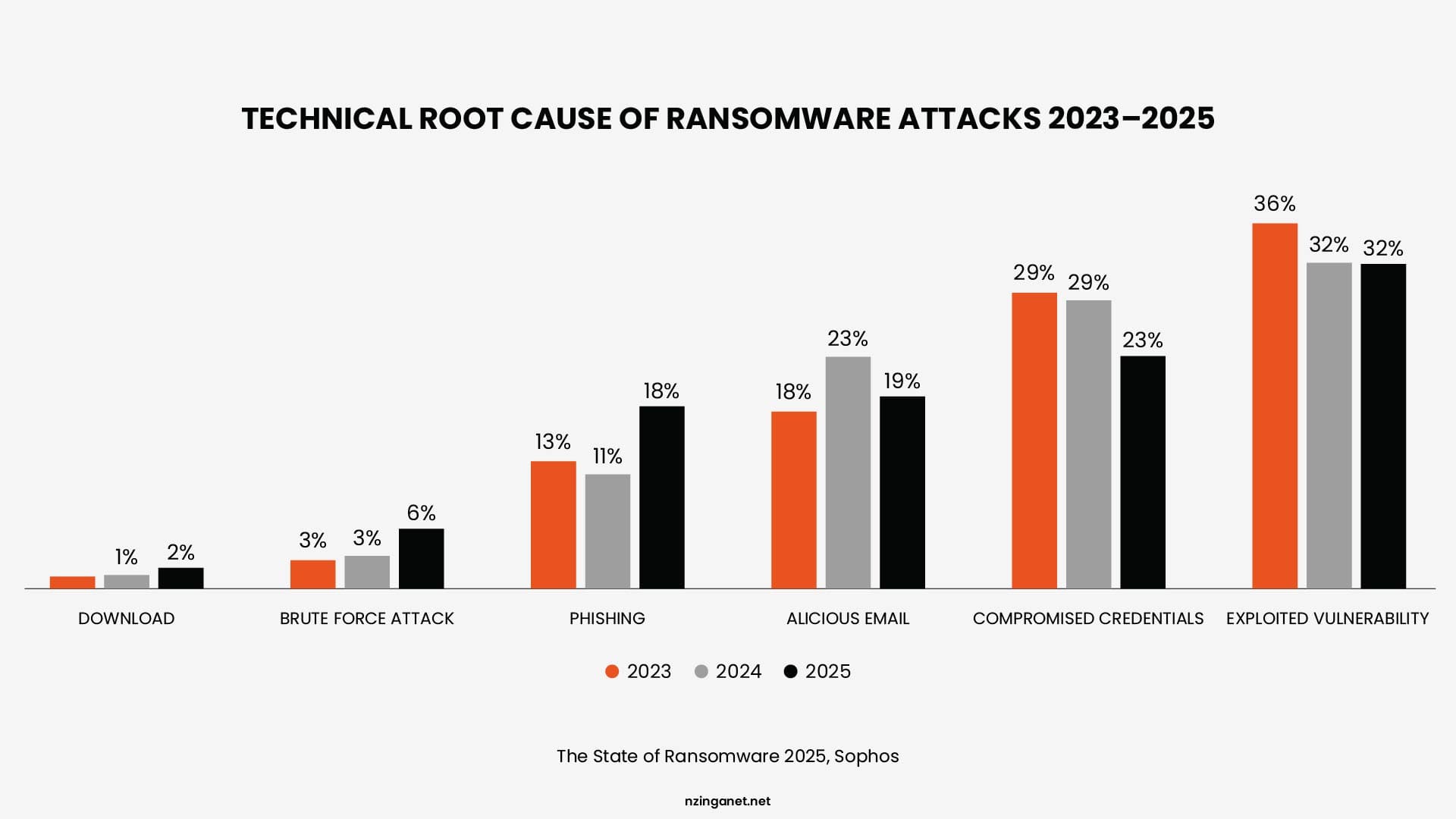
Attackers get into your network through one of three common routes. Phishing emails remain the top vector, responsible for roughly a third of small business breaches. Exploited software vulnerabilities are close behind, accounting for around 32 percent of ransomware incidents in 2025, and were the leading technical cause of ransomware for the third year running. Stolen or guessed credentials, often through exposed remote desktop access, make up most of the rest.
Step 2: Establishing a Foothold
After gaining access, attackers work to maintain their presence without raising suspicion. They deploy legitimate administrative tools or malware that allows them to remain hidden, collect information, and prepare for the next phase of the attack. Because this activity often appears legitimate, behavioral detection, endpoint detection and response (EDR) and continuous monitoring are more effective than relying solely on traditional antivirus software.
Step 3: Lateral Movement and Data Exfiltration
With a foothold established, attackers move through the network to identify high-value systems, sensitive data, and backup repositories. Many ransomware groups steal confidential information before encrypting anything, allowing them to threaten public disclosure if the ransom is not paid. They also attempt to delete or encrypt backups to eliminate recovery options. 96% ransomware attacks specifically target backup locations, because destroying your recovery option is what forces payment.
Step 4: Encryption and Ransom Demand
In the final stage, attackers deploy the ransomware payload to encrypt files across affected systems and leave instructions for paying the ransom. This phase can spread rapidly across a network, leaving organizations with limited time to respond. In 2025, the median time between the initial compromise and ransomware deployment fell to just five days, highlighting the importance of detecting attacks as early as possible.
What a Ransomware Attack Actually Costs
The ransom payment is rarely the largest financial impact of a ransomware attack. In most cases, it represents only a small part of the total cost. The bigger expenses come from operational disruption, recovery efforts, and the long-term damage caused by the incident.
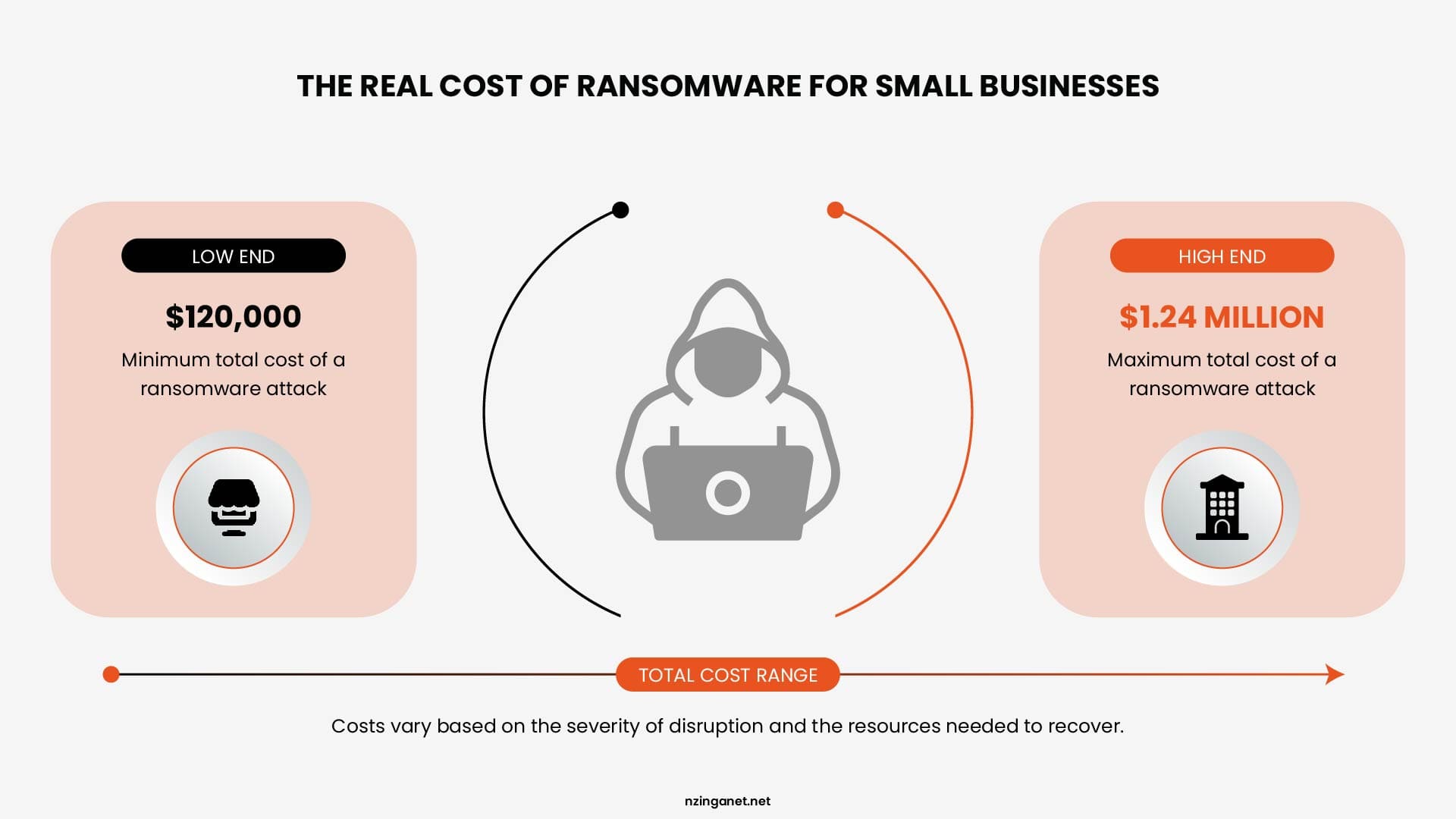
For small businesses, the total cost of a ransomware attack can range from $120,000 to $1.24 million, depending on the severity of the disruption and the resources required to recover.
The biggest contributors to these costs typically include:
- Downtime and lost revenue while systems are offline
- Data recovery and IT restoration labor
- Legal fees, regulatory fines, and customer notification costs
- Reputational damage and customer churn
- The ransom itself, if you choose to pay
- Cybersecurity upgrades made after the fact, which cost far more than doing it right the first time
Although ransom payments have declined, with the median payment dropping to approximately $1 million in 2025 from $2 million in 2024, the financial impact of ransomware remains significant. For small businesses, the cost of downtime and recovery can be far more damaging than the ransom demand itself.
Ransomware Protection Strategies That Actually Work
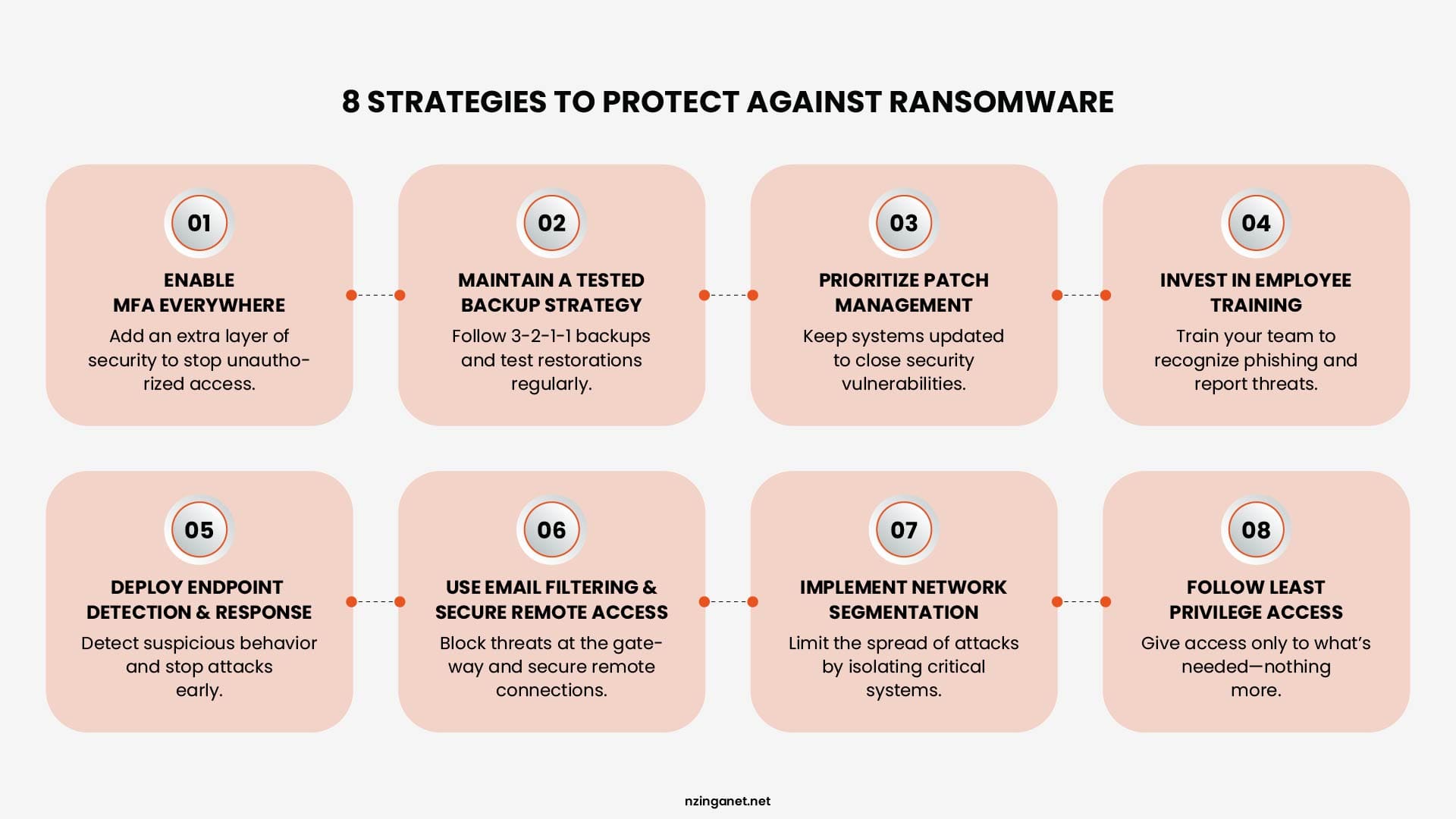
Effective ransomware protection does not require an enterprise-level security budget. For most small businesses, the biggest improvements come from implementing the BDR program, right controls consistently and building strong security habits across the organization.
1. Enable Multi-Factor Authentication Everywhere
Multi-factor authentication (MFA) is one of the simplest and most effective ways to prevent account compromise. Microsoft reports that MFA can block more than 99.9% of automated credential-based attacks.
Enable MFA wherever possible, especially for email accounts, financial systems, remote access tools, and business applications that store sensitive information. In many cases, this security feature is available at no additional cost and provides one of the highest returns on investment of any security measure.
2. Maintain a Tested Backup Strategy
Backups are one of the most important safeguards against ransomware, but only if attackers cannot access or destroy them. The widely recommended 3-2-1 backup strategy includes:
- Three copies of your data
- Two different types of storage
- One copy stored offline or offsite
Many organizations now strengthen this approach with the 3-2-1-1 model, which adds an additional immutable or air-gapped backup that cannot be modified or deleted, even by users with administrative access.
A backup connected to the same network as production systems can be encrypted during an attack, making it useless when recovery is needed most. Just as important, backups should be tested regularly. A backup that has never been successfully restored is only a theory, not a recovery plan.
3. Prioritize Patch Management
A structured patch process, one that prioritizes critical security updates and applies them within a set window, closes off the vulnerabilities attackers scan for automatically. Since exploited vulnerabilities are now the leading technical cause of ransomware attacks, staying current on updates isn't optional maintenance. It's a core defense.
4. Employee Training
Since phishing remains a top entry point, your team is both your biggest exposure and your strongest line of defense. Quarterly phishing simulations paired with short, focused training sessions for anyone who clicks a test link deliver a meaningful improvement in resistance over time. Build a culture where reporting a suspicious email is encouraged, not something employees are embarrassed about.
5. Endpoint Detection and Response (EDR)
Traditional antivirus solutions primarily rely on identifying known malicious files, which means they may miss newer ransomware variants. Endpoint Detection and Response (EDR) solutions take a different approach by monitoring suspicious behavior.
For example, EDR can detect unusual activity such as a process rapidly encrypting files, disabling security tools, or attempting to access sensitive systems. This allows security teams to investigate and stop attacks before widespread damage occurs.
6. Email Filtering and Secure Remote Access
Because email remains a major delivery method for ransomware, strong email filtering can block many malicious attachments, links, and phishing attempts before they reach employees.
Remote access systems also require careful protection. Exposed Remote Desktop Protocol (RDP) services are frequently targeted by attackers. Businesses that require remote access should use secure methods such as VPN connections with MFA enabled and avoid exposing RDP directly to the public internet.
7. Network Segmentation
Splitting your network into separate zones, guest Wi-Fi, employee devices, and critical servers, means an infected device doesn't automatically become an infected network. This limits how far an attack can spread even if one system is compromised.
8. Follow the Principle of Least Privilege
Employees should only have access to the systems and data they need to perform their jobs. Limiting unnecessary permissions reduces the damage that can occur if an account is compromised. If an attacker gains access to a low-level user account, least privilege controls can prevent them from reaching critical systems, sensitive files, or administrative tools.
Building a Ransomware Recovery Plan
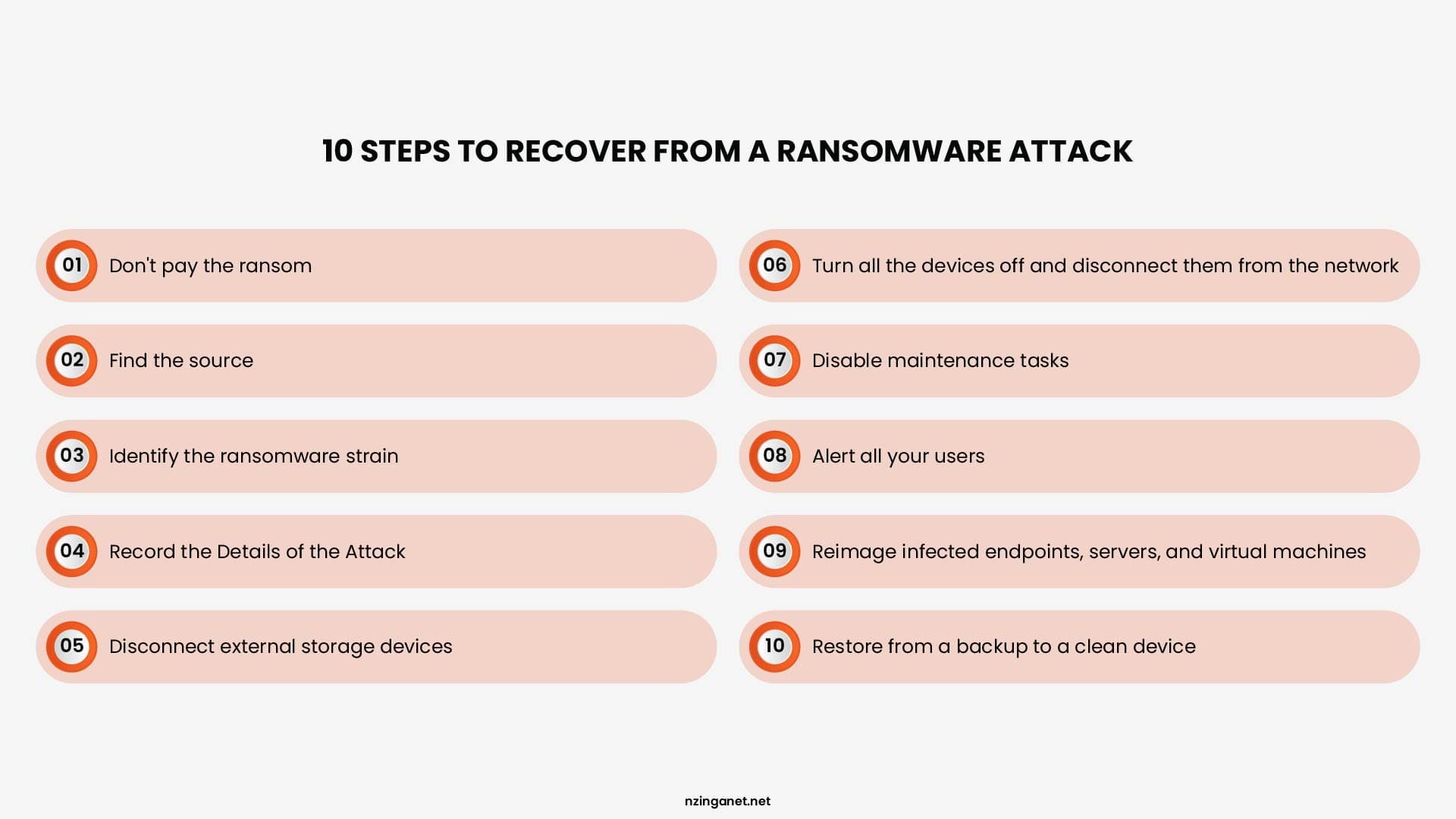
Even with strong security measures in place, no organization can eliminate risk completely. A well-prepared recovery plan is what determines how quickly a business can contain an attack, restore operations, and reduce long-term damage.
At minimum, your plan should cover:
- A prepared incident response contact list: Keep contact information for your IT provider, cybersecurity partner, cyber insurance carrier, and legal counsel readily available before an incident occurs. During an attack, time spent searching for the right contacts can make the situation worse.
- Clear isolation procedures: Define how employees should disconnect infected devices from the network to prevent the attack from spreading without unnecessarily shutting down the entire business.
- A documented backup restoration process: Recovery procedures should be written down, regularly tested, and include realistic expectations for how long systems will take to restore.
- An internal communication plan: Employees should know who communicates updates, what actions they should take, and what information should remain confidential during an active incident.
- Regulatory and customer notification requirements: Identify any legal obligations in advance so required notifications can be handled quickly and correctly.
A tested incident response plan can significantly reduce breach costs, and IBM's 2025 research recommends regularly planning and testing response procedures. Running a tabletop exercise at least once a year helps teams find gaps before a real incident.
If an attack does happen, a few rules apply regardless of your plan's details. Isolate affected devices right away. Don't reboot infected machines, since some ransomware variants trigger additional damage on restart. Contact your IT provider or managed security partner immediately. And don't pay a ransom without consulting a professional first. Payment doesn't guarantee you'll get your data back, and it often marks you for a repeat attack.
Ransomware Data Protection and Cyber Insurance
Cyber insurance is worth understanding as part of your overall plan, though it's a risk transfer tool, not a substitute for prevention. Only 17 percent of small businesses in the United States currently carry cyber insurance, and many organizations consider purchasing coverage only after experiencing an attack.
Insurers increasingly require documented controls like MFA, EDR, and tested backups before issuing a policy, which means improving your security posture also tends to lower your premium.
Review your coverage limits carefully. Many small business policies cap ransomware payouts well below the actual cost of a serious incident, so it's worth confirming the numbers match your actual risk before you need to file a claim.
Take the Next Step Toward Better Security
Ransomware protection starts with preparation. Strong security controls, tested backups, employee awareness, and a clear recovery plan can significantly reduce the impact of an attack.
Small businesses do not need to build enterprise-level security overnight. The key is identifying the biggest risks, addressing security gaps, and putting practical defenses in place before attackers find them.
If you need support improving your ransomware readiness, NzingaNet can help assess your security posture and implement the right protections for your business. Taking action today can help prevent costly downtime and disruption tomorrow.
Need Help Protecting Your Business from Ransomware?
NzingaNet helps small businesses build ransomware protection strategies that work. From security assessments to implementation and ongoing monitoring, our team can help you reduce your risk and recover faster if an attack occurs.
COMMON QUESTIONS
Frequently Asked Questions
How much should a small business spend on ransomware protection?
Industry guidance generally points to somewhere between 3 and 15 percent of your IT budget, depending on your risk exposure and industry. The specific number matters less than covering the fundamentals first: MFA, tested backups, patching, EDR, and employee training. These five items address the majority of how ransomware gets in and how far it spreads.
Can ransomware infect cloud storage and backups?
Yes. Ransomware can reach and encrypt cloud storage that's mapped as a network drive or synced automatically, and attackers specifically target backup systems before triggering encryption. This is exactly why immutable, offsite backups matter so much more than a simple backup that lives on your main network.
Should a small business ever pay the ransom?
Most security professionals recommend against it as a default. Payment doesn't guarantee data recovery, funds further criminal activity, and puts you at higher risk of a repeat attack. If you're facing this decision, involve legal counsel, your cyber insurance provider, and an incident response professional before deciding anything.
How often should backup restores be tested?
Monthly for critical files, and at least quarterly for a full system restoration test. An untested backup often takes three to four times longer to restore from during an actual incident, which can be the difference between a short disruption and a business ending event.
What's the very first step a small business should take?
Enable multi factor authentication across every account that supports it, and confirm you have a working, tested backup that's stored somewhere ransomware can't reach. These two steps address the most common ways attacks succeed and give you a recovery path if prevention fails.
PENNSYLVANIA & BEYOND
Ready for Ransomware Protection That Actually Works for Your Business?
NzingaNet provides ransomware protection and cybersecurity services to small and mid-sized businesses across Pennsylvania and the surrounding region. From security assessments to managed detection and response, we give your business the protection it needs.