June 3, 2026
Technology is supposed to help your business run. But when it goes down, gets hacked, or turns sluggish, nothing gets done.
You have two choices. You can try to handle everything yourself, which takes time away from your customers. You can hire a full time IT person, which is expensive for most small businesses. Or you can work with an IT consultant.
That third option is what this guide is about. But not all consultants are the same, and not every business needs the same things.
You will learn what small business IT consulting actually is, what services you might need, how much it costs, what benefits to expect, when to hire someone, and how to pick the right partner without getting ripped off.
TABLE OF CONTENTS
- What Is Small Business IT Consulting?
- Types of IT Consulting Services for Small Businesses
- Benefits of Small Business IT Consulting for SMBs
- When Should a Small Business Hire IT Consultants?
- How Small Business IT Consulting Works
- How Much Small Business IT Consulting Costs
- How to Choose the Right Small Business IT Consulting Partner
- Common IT Consulting Mistakes Businesses Must Avoid
- Future Trends in Small Business IT Consulting
- Frequently Asked Questions
Main Highlights
- IT consulting costs typically run $50 to $300 per hour, or $500 to $7,500+ per month depending on business size, with most small businesses paying far less than the cost of one full-time IT hire.
- A consultant gives you access to a team of specialists (network, security, and cloud experts) instead of relying on the strengths and blind spots of a single in-house hire.
- The right partner is judged on relevant experience, verified certifications, written response-time guarantees, security practices, communication, and references, not on hourly rate alone.
DEFINITION
What Is Small Business IT Consulting?
Small business IT consulting refers to the practice of hiring external technology professionals to advise on, implement, and manage IT systems for organizations with limited internal technical staff. Unlike a full-time IT department, a consulting firm or independent consultant works with multiple clients and brings broad, current expertise across industries and technologies.
What does it include?
An IT consultant for a small business typically handles these tasks:
- Setting up hardware like computers, servers, and network equipment
- Helping choose and install software
- Moving data and applications to the cloud
- Protecting against hackers and data breaches
- Planning for how to recover from a disaster like a fire or ransomware attack
- Providing ongoing support when something breaks or stops working
Some consultants focus on a single area, such as cybersecurity or cloud architecture. Others act as a complete outsourced IT department, covering nearly all your technology needs.
SERVICE TYPES
Types of IT Consulting Services for Small Businesses
Small business technology consulting covers many different areas. Knowing the main categories helps you figure out what your business actually needs and what to look for when choosing a provider.
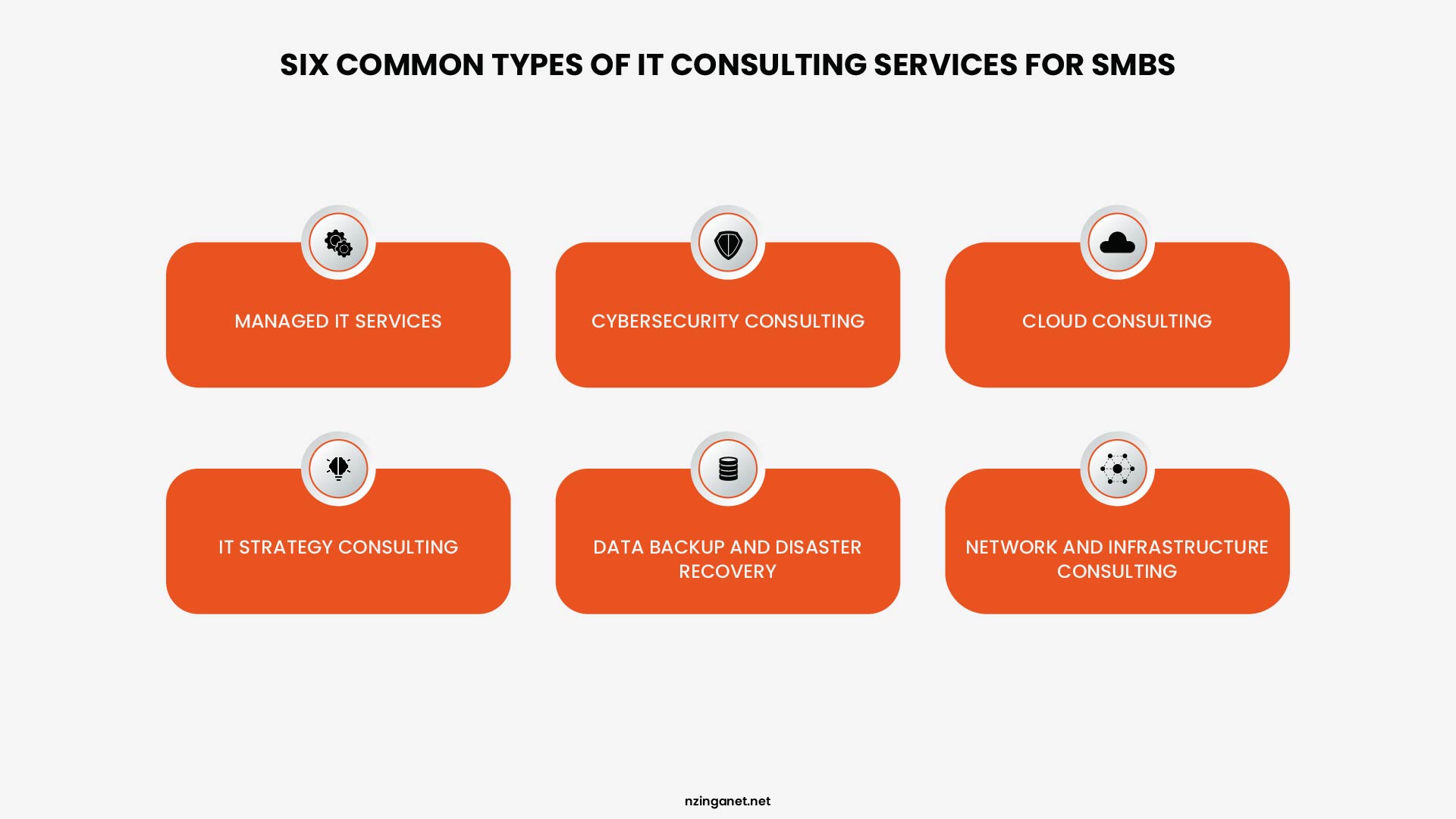
1. Managed IT Services
Managed IT services means a consulting firm takes ongoing responsibility for watching over and maintaining your technology. This usually includes managing your computers, monitoring your servers, installing software updates, running an IT help desk support, and overseeing your network. You pay a fixed monthly fee. In return, you get predictable costs and someone who keeps things running.
2. Cybersecurity Consulting
Cybersecurity consulting helps small businesses find weak spots, put protections in place, and set up procedures for when something goes wrong. Services include risk assessments, firewall setup, endpoint protection, staff training, fake phishing tests, and help with compliance service rules like HIPAA, PCI DSS, or SOC 2. This is the fastest growing area of IT services for small businesses because hackers increasingly target smaller companies.
3. Cloud Consulting
Cloud services consulting helps small businesses decide which cloud platform to use, move their data and applications there, and keep the environment secure and cost effective. Common platforms include Microsoft Azure, Google Workspace, and Amazon Web Services. A cloud consultant figures out which parts of your business belong in the cloud, plans the move so you lose as little time as possible, and helps you rely less on equipment sitting in your office.
4. IT Strategy Consulting
IT strategy consulting helps business owners and leaders make sure their technology spending actually supports their business goals. A consultant looks at what you have today, finds the gaps, and builds a technology roadmap for the next few years. This is especially valuable when you are getting ready to grow, open a new location, or replace old systems that no longer work well. Strategic consulting turns business objectives into concrete technology plans.
5. Data Backup and Disaster Recovery
Data backup and disaster recovery planning makes sure your business can get back up and running after losing data, having a hardware failure, getting hacked, or experiencing a natural disaster. A consultant designs a backup schedule, tests whether the backups actually work, and sets clear targets for how quickly you can recover and how much data you can afford to lose. Without this, a single incident can destroy years of business records permanently.
6. Network and Infrastructure Consulting
Network and infrastructure consulting covers the physical and logical systems that connect your devices and allow them to talk to each other. Consultants design and set up local area networks, configure routers and switches, install wireless access points, and improve network performance. A reliable network is the foundation for everything else. If your network is slow or keeps dropping, no other technology will work well.
BENEFITS
Benefits of Small Business IT Consulting for SMBs
When people hear the term IT consulting, they often imagine large companies paying millions for outside advisors. But that is not what small business IT consulting looks like.
For a small or medium sized business, an IT consultant is simply an expert you bring in to help with specific technology needs. You do not need a big budget or a long term contract. You just need a problem that you cannot solve on your own.
Small businesses in particular can gain real advantages from working with an external IT consultant. Here are the main benefits.
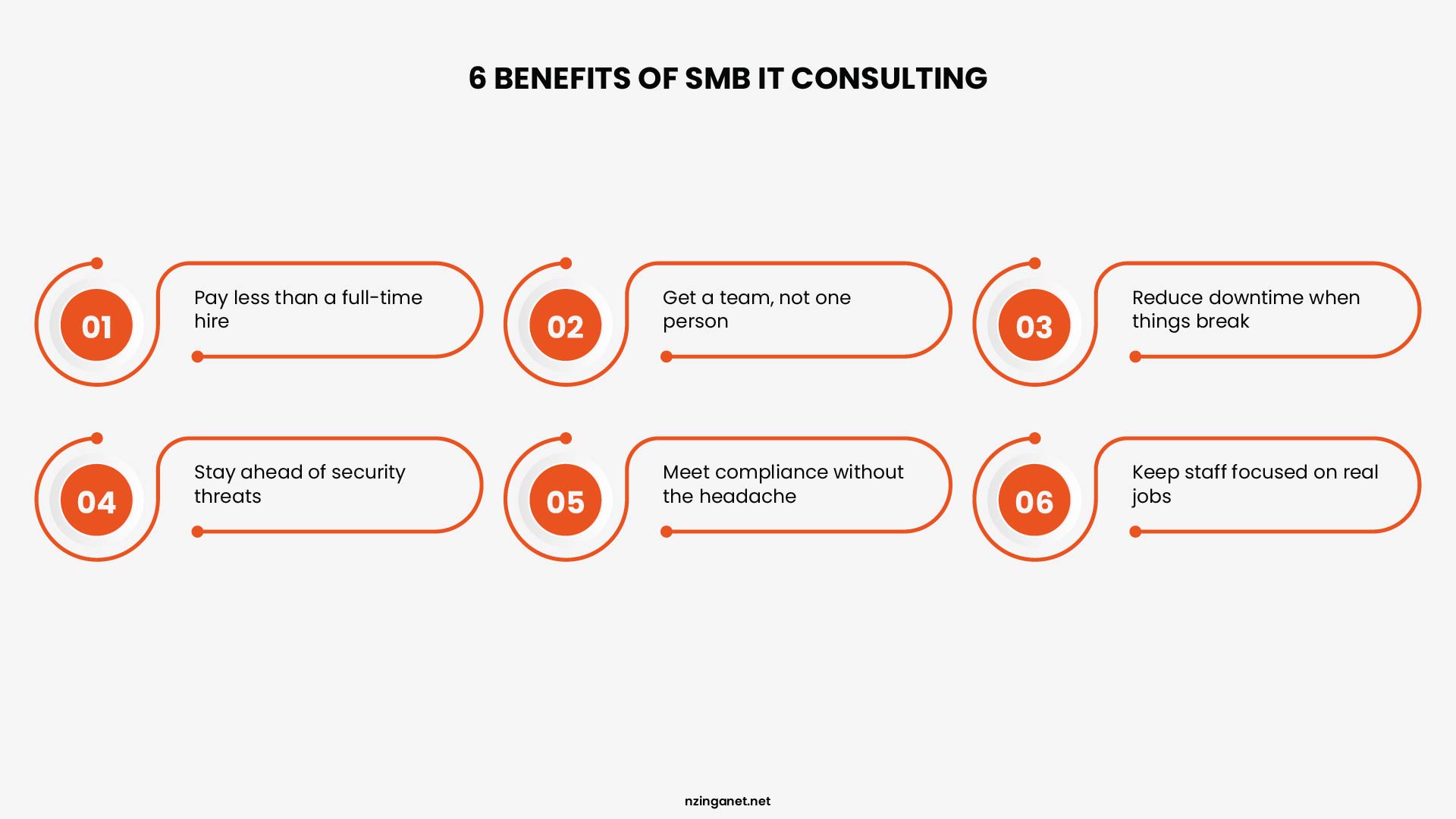
1. You Pay Less Than Hiring a Full-Time Employee
A full time IT professional costs you a salary, payroll taxes, health insurance, paid time off, and ongoing training. That easily adds up to seventy or eighty thousand dollars per year or more. With a consultant, you pay only for the hours or services you actually use. You get experienced help without the overhead of a permanent hire.
2. You Get Access to a Team, Not Just One Person
When you hire a single IT employee, you get whatever that one person knows. If they have a weak spot in security or cloud systems, that weakness becomes your problem. A consulting firm brings multiple people with different skills. You get network experts, security specialists, and cloud engineers all working for you without paying each one separately.
3. You Reduce Downtime When Things Break
Every minute your systems are down costs you money and frustrates your customers. A consultant monitors your systems and responds faster than you could on your own. Many firms guarantee response times in writing. That means when your server fails at seven on a Friday night, someone is actually on the way to fix it.
4. You Stay Ahead of Security Threats
Small businesses are common targets for hackers because they often have weak defenses. A consultant watches for new threats, applies security updates, and checks for weak spots before someone else finds them. You get protection that would be difficult to build on your own without spending a lot of time and money.
5. You Meet Compliance Requirements Without the Headache
Rules like HIPAA for healthcare, PCI for credit card processing, and SOC 2 for service providers come with long checklists and serious penalties for cybersecurity mistakes. A consultant who already knows these rules helps you check the boxes correctly the first time. You avoid fines, lawsuits, and the stress of figuring it out yourself.
6. You Keep Your Staff Focused on Their Real Jobs
Your employees were hired to serve customers, make products, or close sales. They were not hired to reset passwords, troubleshoot printers, or figure out why email is slow. A consultant takes those technology distractions away. Your people do the work they are actually good at, and you get more done with the same team.
WARNING SIGNS
When Should a Small Business Hire IT Consultants?
Many small business owners wait too long to engage small business IT consulting support. The following scenarios indicate that it is time to bring in professional help.
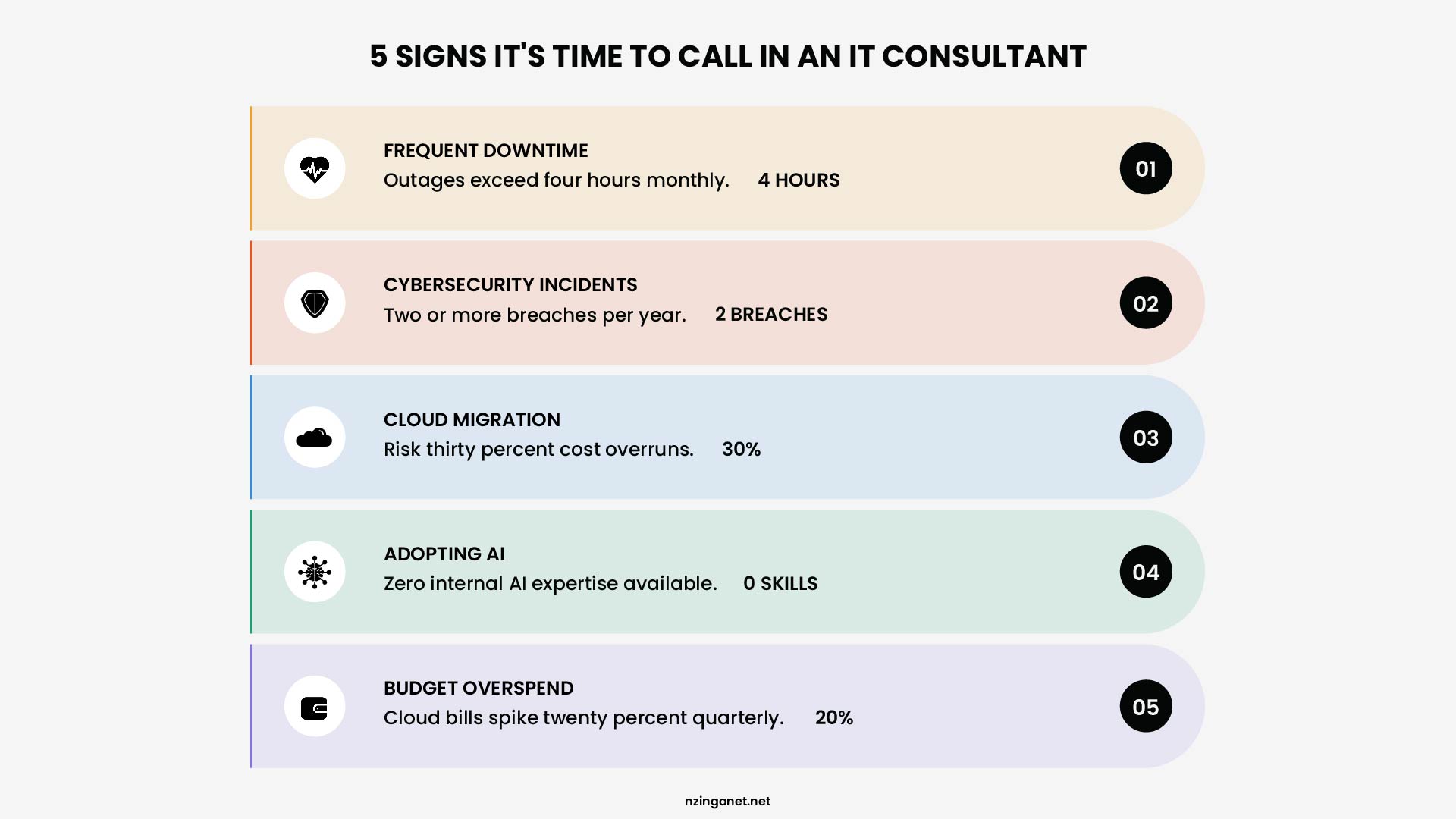
Experiencing Frequent Downtime
Outages exceeding 4 hours monthly from unoptimized AI workloads or legacy systems signal the need for consultants to deploy predictive monitoring and auto-failover setups, restoring uptime to 99.9% with minimal refactoring.
Cybersecurity Incidents Rising
Two or more breaches, phishing successes, or compliance warnings yearly demand external threat modeling and fractional CISO support to implement zero-trust architectures and AI-driven anomaly detection before fines escalate.
Planning Cloud Migration or Expansion
Pre-migration audits reveal sprawl risks; hire when scaling to multi-cloud or edge compute requires FinOps roadmaps and landing zones to avoid 30% cost overruns on Azure or AWS workloads.
Adopting AI Without Expertise
Internal teams lack skills for agent deployment or governance; engage consultants for safe integration of AI tools in workflows, ensuring ethical controls and ROI via automated code reviews and drift monitoring.
Budget Overspend or Tech Debt
Cloud bills spiking 20%+ quarterly or unresolved vulnerabilities piling up necessitate experts for optimization audits, tying fees to savings like reduced orphaned resources or quarterly scalability proofs. If any of these situations describe your business, the cost of inaction exceeds the cost of consulting. The longer you delay, the more technical debt accumulates and the more expensive remediation becomes.
PROCESS
How Small Business IT Consulting Works
Engaging an IT consultant follows a structured process. Understanding each stage helps you prepare and get maximum value from the engagement.
Assessment
The consultant performs a comprehensive audit of your current technology environment. This includes network infrastructure, hardware inventory, software applications, security controls, backup procedures, and user workflows. The assessment identifies gaps, risks, and opportunities.
Planning
Based on the assessment, the consultant develops a technology roadmap. This document outlines recommended changes, prioritized by urgency and business impact. It includes timelines, cost estimates, and expected outcomes for each initiative.
Implementation
The consultant executes approved projects according to the roadmap. This may include hardware procurement, software deployment, cloud migration, security configuration, or systems integration. Implementation includes documentation and knowledge transfer to your team.
Ongoing Support
After implementation, the consulting relationship typically shifts to a managed services model. The consultant monitors your environment, responds to issues, applies updates, and conducts regular strategic reviews. This phase ensures your technology continues to serve your business as conditions change.
PRICING
How Much Small Business IT Consulting Costs?
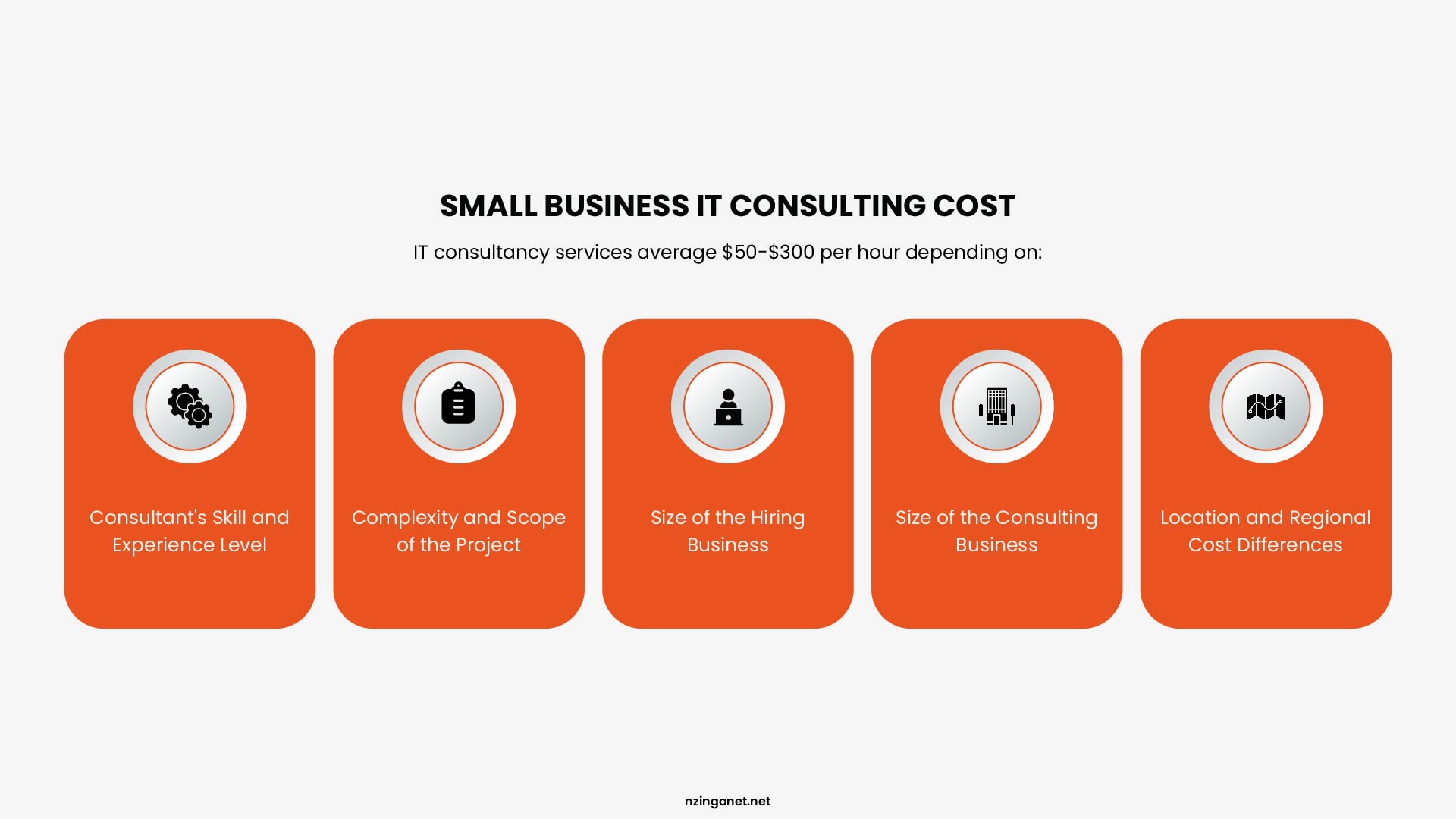
Pricing for IT consulting varies widely depending on where you live, how complex your systems are, and what level of support you need. Below are the common pricing models and typical ranges.
Four Common Pricing Models
1. Hourly Rate
Consultants charge between one hundred and two hundred fifty dollars per hour for project work or occasional help. This model works best for small, clearly defined jobs. If you just need someone to set up a new server, fix a specific problem, or advise you on a software purchase, hourly billing makes sense. You pay only for the time you use. But the total cost can be unpredictable if the project runs longer than expected. Hourly rates also do not encourage speed. The slower the consultant works, the more they earn. For this reason, hourly billing is good for small jobs but risky for large, open ended work.
2. Monthly Retainer
A monthly retainer is a fixed fee, usually ranging from five hundred to five thousand dollars or more, depending on how much support you need. This model works best for ongoing managed services. With a retainer, you pay the same amount each month regardless of how many hours the consultant works. In some months you might use more support, in others less. It balances out. Retainers work well for businesses that want a dedicated consultant on standby but do not need full time help. The key is to define clearly in writing what the retainer includes. Some retainers cover unlimited support. Others cover only a set number of hours. Read the agreement carefully.
3. Per User Pricing
Per user pricing is common in managed services. You pay between seventy five and one hundred fifty dollars per user per month. Your total cost scales directly with your team size. This model is easy to budget for because your cost grows as you add employees and shrinks when you let people go. It also ties the consultant's fee to the number of people they actually support, which feels fair. However, per user pricing can become expensive for businesses with many part time or seasonal workers. Some consultants offer a lower rate for light users. Ask if they have different tiers for full time versus part time staff.
4. Project Based Pricing
Project based pricing means you pay a single fixed price for a defined scope of work, such as moving your systems to the cloud or completing a security audit. This works best for one time initiatives. With project based pricing, you know the total cost before work begins. There are no surprises. This gives the consultant a reason to work efficiently because they do not get paid more if the project takes longer. The risk is that the project scope must be written very clearly. If something is left out, the consultant may charge extra to add it back in. Take the time to define exactly what is included and what is not before you agree to a fixed price.
Typical Cost Ranges by Business Size
| Business Size | Monthly IT Consulting Cost | What Is Included |
|---|---|---|
| 1 to 10 employees | $500 to $1,500 / month | Help desk, basic monitoring, security essentials |
| 11 to 25 employees | $1,500 to $3,500 / month | Full managed services, cloud support, backup management |
| 26 to 50 employees | $3,500 to $7,500 / month | Advanced security, compliance support, strategic consulting |
| 50+ employees | $7,500+ / month | Enterprise-level coverage, dedicated resources, SLA guarantees |
Return on Investment
The ROI of IT consulting comes from multiple directions: reduced downtime, lower labor costs compared to in-house staffing, avoidance of breach-related expenses, and operational efficiency gains. A business spending $2,000 per month on managed IT services pricing that prevents a single ransomware incident costing $50,000 has recovered years of consulting fees in a single event. To calculate your own return, add up what you spend on technology problems today, including lost employee time, then compare that to the cost of a consultant. For most small businesses, the consultant is cheaper than doing nothing.
SELECTION GUIDE
How to Choose the Right Small Business IT Consulting Partner
Choosing an IT consulting partner is a big decision for a small business owner. Use this checklist to evaluate your options.
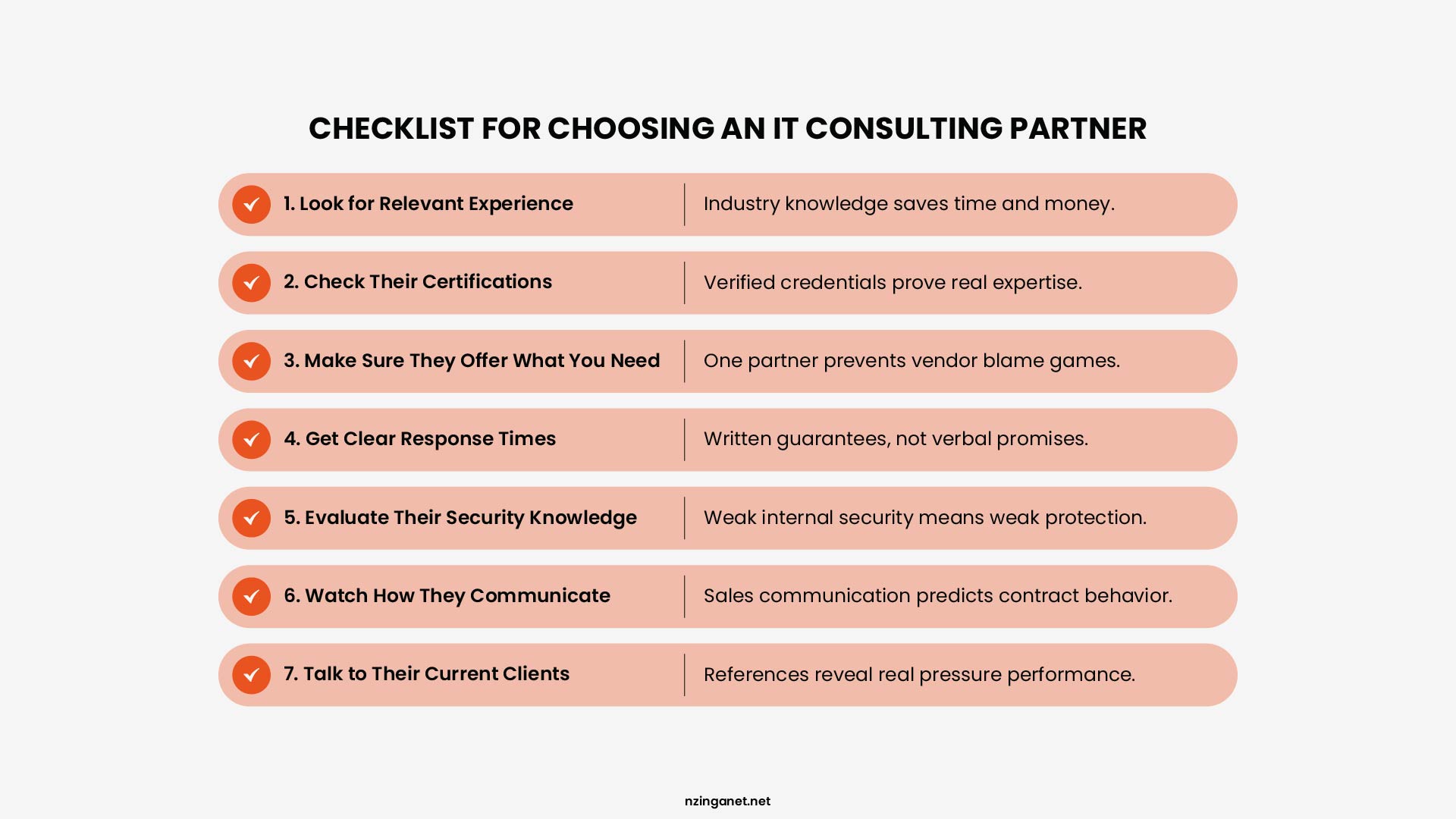
1. Look for Relevant Experience
Ask how long the firm has been in business and how many clients they have in your industry. A consultant who already knows the rules and common problems in your field will give you faster and more useful results. A firm with industry experience will not need to learn your basic requirements from scratch. They will already understand your busy seasons, your compliance deadlines, and the typical technical problems that come up. This saves you time and money because they can start solving real problems on day one instead of spending weeks getting up to speed.
2. Check Their Certifications
Look for certifications from major tech companies, such as Microsoft Certified Partner, Cisco, AWS, or Azure. Also look for security credentials like CISSP or CompTIA Security Plus. Certifications show that the staff have proven knowledge, not just claims. Certifications matter because they require passing exams and staying current with ongoing training. A consultant who holds these credentials has been tested by an outside organization, not just by their own employer. This gives you confidence that they actually know what they claim to know. Without certifications, you are trusting their word alone.
3. Make Sure They Offer What You Need
Confirm that the firm covers all the services your business requires. A consultant who is good with networks but lacks security skills leaves a dangerous gap. Either choose a full service firm or one with clear partners for the areas they do not handle themselves. You do not want to hire one firm for your networks, another for your security, and a third for your cloud systems. Managing multiple vendors gets complicated fast. Problems arise when each firm blames the other for a failure. A single firm that covers most of your needs, or that has formal partnerships for the rest, gives you one point of contact and one team to hold accountable.
4. Get Clear Response Times
Ask for specific service level agreements. What is the guaranteed response time for a critical problem? What about a non critical request? These expectations must be written into your agreement, not left as verbal promises. A verbal promise like "we will get back to you quickly" means nothing when your entire system is down and you are losing sales by the minute. You need written numbers. For example, a response within fifteen minutes for critical issues and within four hours for routine requests. These guarantees give you leverage if the firm does not deliver. Without them, you have no recourse.
5. Evaluate Their Security Knowledge
Judge the firm's approach to cybersecurity separately from any sales talk. Ask how they protect their own systems, how they handle client data, and whether they carry cyber liability insurance. A consulting firm with poor internal security cannot protect your business. Many consulting firms will tell you they take security seriously. But you should look at how they run their own business. Do they use two factor authentication? Do they encrypt their computers? Do they train their own staff on security? Ask to see their written security policies. If they cannot explain how they protect themselves, they will not be able to protect you.
6. Watch How They Communicate
Good consulting depends on clear communication. The firm should send regular status updates, explain technical issues in simple language, and tell you about changes before they make them. Pay attention to how they communicate during the sales process. It will not get better after you sign a contract. If a consultant uses jargon, talks down to you, or takes days to return your calls before you hire them, those problems will only get worse later. A good consulting partner will explain what is broken, why it matters, and what they plan to do about it. They will also warn you before making changes that could disrupt your work. That respect for your time and understanding starts on day one.
7. Talk to Their Current Clients
Ask for references from clients that are similar in size and industry to yours. Ask those clients specific questions about how the firm handled a difficult situation. Case studies show what a firm can do when things go well. References show how they perform under pressure. Any firm can write a nice case study. But a phone call with a real client tells you more. Ask the client what happened when their system went down in the middle of the night. Did the consultant answer the phone? How long did it take to fix the problem? Did they communicate clearly throughout? A firm that refuses to give you client references, or only gives you a few names who seem rehearsed, is hiding something. Good firms are proud to let you talk to their clients.
WHAT TO AVOID
Common IT Consulting Mistakes Businesses Must Avoid
Businesses today face increasing pressure to modernize, but many IT initiatives fail not because of technology, but because of poor decision-making. Choosing the wrong small business IT consulting approach, overlooking long-term needs, or ignoring risk factors can quietly derail even well-funded projects.
1. Hiring Based on Price Alone
Choosing the lowest bid rarely delivers real value. A low-cost engagement that skips critical areas (like patching edge devices or securing AI-driven systems) can expose businesses to significant financial and reputational damage. Instead of focusing on hourly rates, evaluate consultants based on measurable outcomes such as cost optimization, compliance readiness, and proven security practices.
2. Ignoring Scalability
Solutions that work today may fail under tomorrow's demands. Your IT consultant should show you how systems will handle growth, including sudden traffic spikes, working across multiple clouds, and changing workloads. Look for a simple roadmap, evidence of performance testing, and proof that the setup can grow without needing a complete rebuild.
3. Relying on Verbal Agreements
Informal agreements cause confusion and risk. If nothing is written down, you will eventually argue over who owns what, who does what, and what was promised. Make sure every delivery, service level, data ownership rule, and exit condition is written down clearly.
4. Neglecting Security for Convenience
Cutting corners on security almost always leads to bigger problems later. Ignoring basic steps, like requiring two factor authentication, controlling access, or separating parts of your network, makes you an easy target for attacks. Strong security rules need to be enforced all the time, even if they slow things down a little.
5. Treating IT as a One-Time Project
Technology is not something you set up and then forget. Without ongoing checks and adjustments, you build up old problems, wasted resources, and security holes. You need continuous support, regular reviews, and a long term plan to keep things running well and within budget.
WHAT'S NEXT
Future Trends in Small Business IT Consulting
Small business IT consulting is evolving rapidly in 2026, driven by AI integration, cybersecurity demands, and cost-efficient cloud strategies tailored to resource-limited SMBs. Consultants are shifting from reactive fixes to proactive, value-based partnerships that leverage automation and fractional expertise.
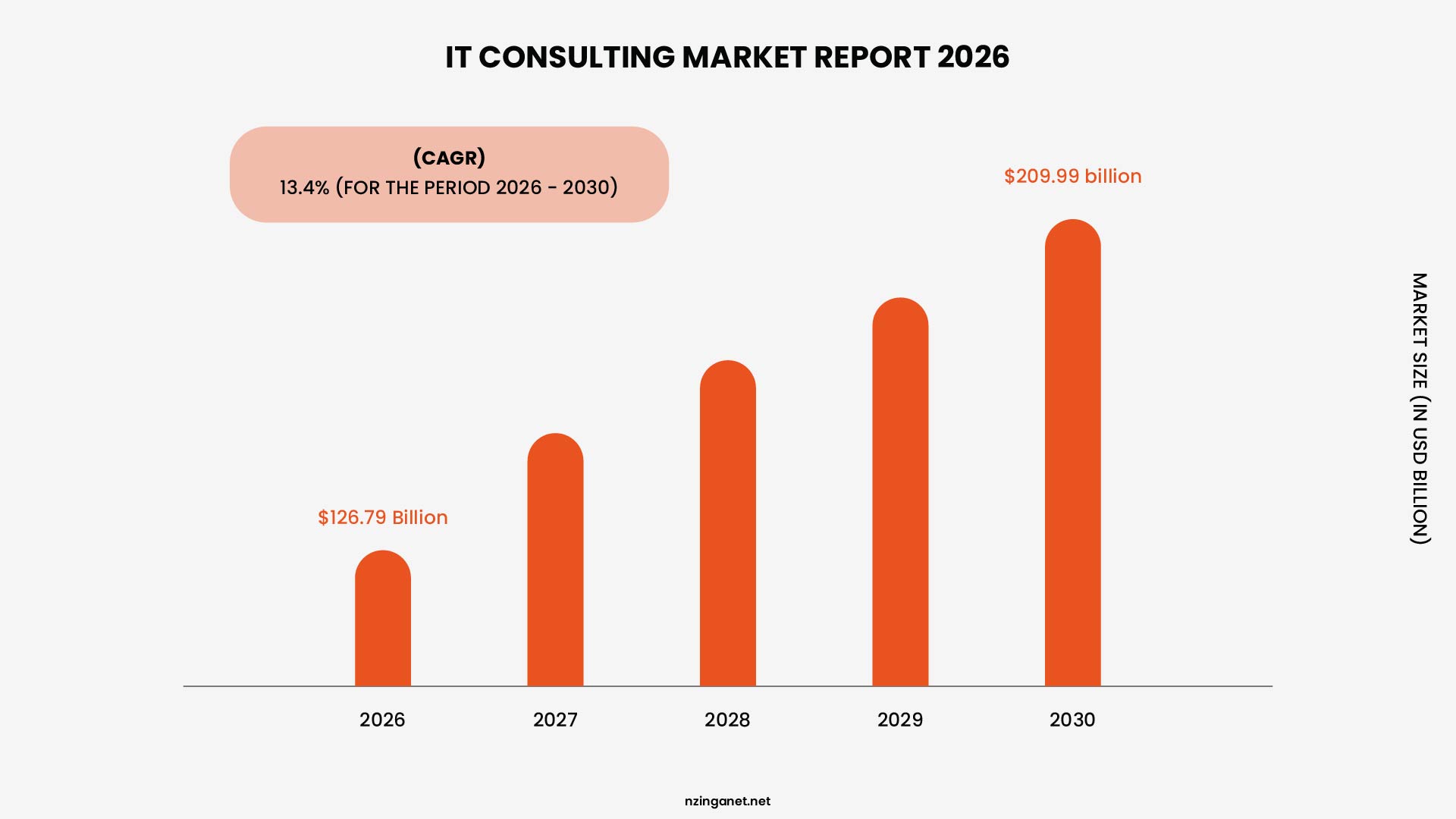
IT consulting revenue is projected to reach $209.9 billion by 2030 (CAGR 13.4%), fueled by SMB digital transformation needs. Globally, demand rises for customized cloud, cybersecurity, and analytics services amid tighter regulations and talent shortages.
AI and Automation
AI agents are becoming standard in consulting delivery, handling tasks like log analysis, code drafting, and anomaly detection to speed up projects and reduce team sizes. Small businesses benefit from AI-driven automation in workflows, predictive maintenance, and customer service tools like chatbots, cutting costs and downtime. This allows SMBs to compete with larger firms without full-time IT staff, with consultants training teams on these tools post-project.
Cybersecurity Focus
Rising threats are embedding security-by-design into every engagement, including threat modeling, compliance (e.g., SOC 2, ISO 27001), and AI-specific governance. SMBs, lacking internal experts, increasingly seek fractional CISOs paired with project support for incident response and privacy controls. AI-enhanced monitoring saves costs up to $1.76 million per incident, and ensures regulatory alignment.
Cloud and FinOps Strategies
Cloud-first migrations with edge computing optimize latency for real-time apps, while FinOps tracks costs, energy use, and sustainability as standard proposal items. Consultants offer platform-style services like landing zones and reusable accelerators for mid-market firms. Industry-specific clouds (e.g., for healthcare or manufacturing) enable vertical solutions, blending cloud, data, and security.
Fractional and Niche Expertise
Demand surges for niche specialists over generalists, with fractional CIO/CTO/CISO roles plus on-demand projects suiting SMB budgets. This includes vendor management, tech roadmaps, and outcome-based pricing tied to savings or risk reduction. Mid-sized firms favor simple governance and shared models over multi-year programs.
SUMMARY
Making IT Work for Your Small Business
Small business IT consulting gives you value that most small businesses cannot get on their own. The right partner brings real skills in security, cloud systems, infrastructure, and software integration. They also provide ongoing management that keeps your business running without constant surprises.
Hiring an IT consultant is not just a technology choice. It is a business choice. It affects your costs, your safety from attacks, your ability to grow, and how you compete. Businesses that treat technology as a strategic tool, not just another bill, do better over time than those that do not.
Use the frameworks in this guide to evaluate your current situation, understand the services available to you, and select a small business IT consulting partner with the experience, certifications, and communication standards your business deserves.
Ready to Find the Right IT Consulting Partner for Your Small Business?
NzingaNet works with small and mid-sized businesses across Pennsylvania and the surrounding region to assess their current IT environment, identify the highest-priority gaps, and build a clear, practical plan to address them.
Whether you need cybersecurity help, cloud guidance, a technology roadmap, or full managed IT support, the conversation starts the same way: we listen to what your business actually needs before recommending anything.
Connect with NzingaNet to schedule your technology assessment today.
COMMON QUESTIONS
Frequently Asked Questions
1. What does an IT consultant do for a small business?
An IT consultant assesses your technology environment, recommends improvements, implements solutions, and provides ongoing support. They help small businesses select the right tools, protect against cyber threats, plan for growth, and ensure systems operate reliably. Consultants serve as on-demand technology experts without the cost of full-time staff.
2. How much does IT consulting cost for a small business?
Small business IT consulting costs vary by scope and pricing model. Managed services typically cost between $75 and $150 per user per month. Hourly project work ranges from $100 to $250 per hour. A small team of 10 employees might spend $1,000 to $2,000 per month on comprehensive managed IT support.
3. Is IT consulting worth it for small businesses?
Yes. The cost of IT consulting is significantly lower than the cost of a full-time IT hire, and it typically prevents expenses far larger than the consulting fee itself. A single prevented data breach or avoided compliance penalty can justify years of consulting costs. The ROI is measurable and consistent.
4. What services do IT consultants provide to small businesses?
IT consultants provide managed IT services, cybersecurity consulting, cloud migration, network design, data backup and disaster recovery, software integration, IT strategy development, and help desk support. Many firms offer all of these under a single managed services agreement tailored to the business's size and needs.
5. How do I know if my small business needs IT consulting?
Your business likely needs IT consulting if you have experienced security incidents, your systems are slowing growth, you lack a documented disaster recovery plan, your staff spends significant time managing technology, or you face compliance requirements your team cannot address. Early engagement prevents larger problems.
6. What is the difference between managed IT services and IT consulting?
Managed IT services involve ongoing, subscription-based monitoring and support of your technology environment. IT consulting typically refers to advisory and project-based work such as strategy development or system implementation. Many providers offer both, delivering strategic guidance alongside day-to-day operational management.
PENNSYLVANIA & BEYOND
Ready for IT Support That Actually Works for Your Business?
NzingaNet provides managed IT and cybersecurity consulting services to small and mid-sized businesses across Pennsylvania and the surrounding region. From day-to-day IT support to strategic technology planning, we give your business the IT expertise it needs without the overhead of full-time staff.