April 14, 2026
Running a business today means dealing with technology that is more complex, more demanding and more critical to daily operations than ever before. For many small and midsize businesses, internal IT teams are struggling to keep up with everything required of them. The gap between what the team can handle and what the business actually needs continues to grow.
Sometimes the problem is budget. Hiring enough qualified staff is expensive, and many businesses cannot justify the cost of a full team. Other times the issue is new technology. A sudden requirement, such as moving to the cloud or implementing stronger security measures, may require skills that no one on the current team possesses.
In either case, more and more business owners are turning to outsourced IT services to fill that gap, and the data shows this shift is happening across businesses of every size and industry.
|
90% of large enterprises outsource at least one core IT function |
50% of organizations plan to increase IT outsourcing in coming years |
80% of senior leaders see managed IT as essential for resilience & growth |
1/3 of the global IT outsourcing market is in the Asia Pacific region |
$1T global IT outsourcing market projected to exceed $1 trillion by 2030 |
TABLE OF CONTENTS
- Quick IT Outsourcing Trends & Stats (2026)
- What Does It Actually Mean to Outsource IT Services?
- When Should a Business Consider Outsourcing IT?
- The 7 Signs Your Business Is Ready
- When Outsourcing IT Might Not Be the Right Answer
- What to Expect When You Outsource IT Services
- Ready to Find Out Where Your Business Stands?
- FAQs
Main Highlights
- IT services now account for roughly 72% of all outsourcing contract value worldwide, and the shift is driven by results, not desperation: businesses that outsource get predictable costs, dedicated security coverage, and a team instead of a single point of failure.
- Seven concrete signs point to readiness: unpredictable IT costs, no clear security plan, slow onboarding/offboarding, single-person IT dependency, informal compliance handling, deferred technology decisions, and an inability to answer partner security questionnaires.
- Outsourcing is not a permanent, all-or-nothing decision. Businesses with highly complex proprietary systems or a strong internal team may be better served staying in-house or moving to a co-managed model as they grow.
2026 MARKET TRENDS
Quick IT Outsourcing Trends & Stats (2026)
- Over 90% of large enterprises (G2000-style companies) already outsource at least one core IT function, showing how mainstream managed IT has become at scale.
- Around half of all organizations plan to increase their IT outsourcing over the next few years, while only about 10% expect to reduce it, signaling growing rather than fading demand.
- Roughly 80% of senior leaders now see managed or outcome-based IT services as essential for achieving resilience, security, and business-growth goals.
- The Asia Pacific region accounts for more than one-third of the global IT outsourcing market, reflecting the shift toward offshore and nearshore delivery hubs.
- The global IT services outsourcing market is projected to exceed $1 trillion by 2030, reflecting how mainstream managed IT has become for businesses of all sizes.
UNDERSTANDING THE MODEL
What Does It Actually Mean to Outsource IT Services?
Before looking at the signs that indicate it is time to outsource, it helps to be clear about what outsourced IT services actually involve. The term is used to describe different arrangements, and understanding what it means in practice makes the decision easier.
At its core, outsourcing IT means partnering with an external provider to handle some or all of your technology needs. This includes managing your infrastructure, providing support to your employees, and helping with technology strategy.
For small and mid-sized businesses, this usually means replacing or supplementing an internal IT person with a team of specialists. That team works in the background to monitor systems, resolve issues as they come up, apply updates to keep everything secure, and perform the daily maintenance that keeps your business running. The goal is to have technology work reliably without requiring constant attention from you or your staff.
The Spectrum of IT Outsourcing Models
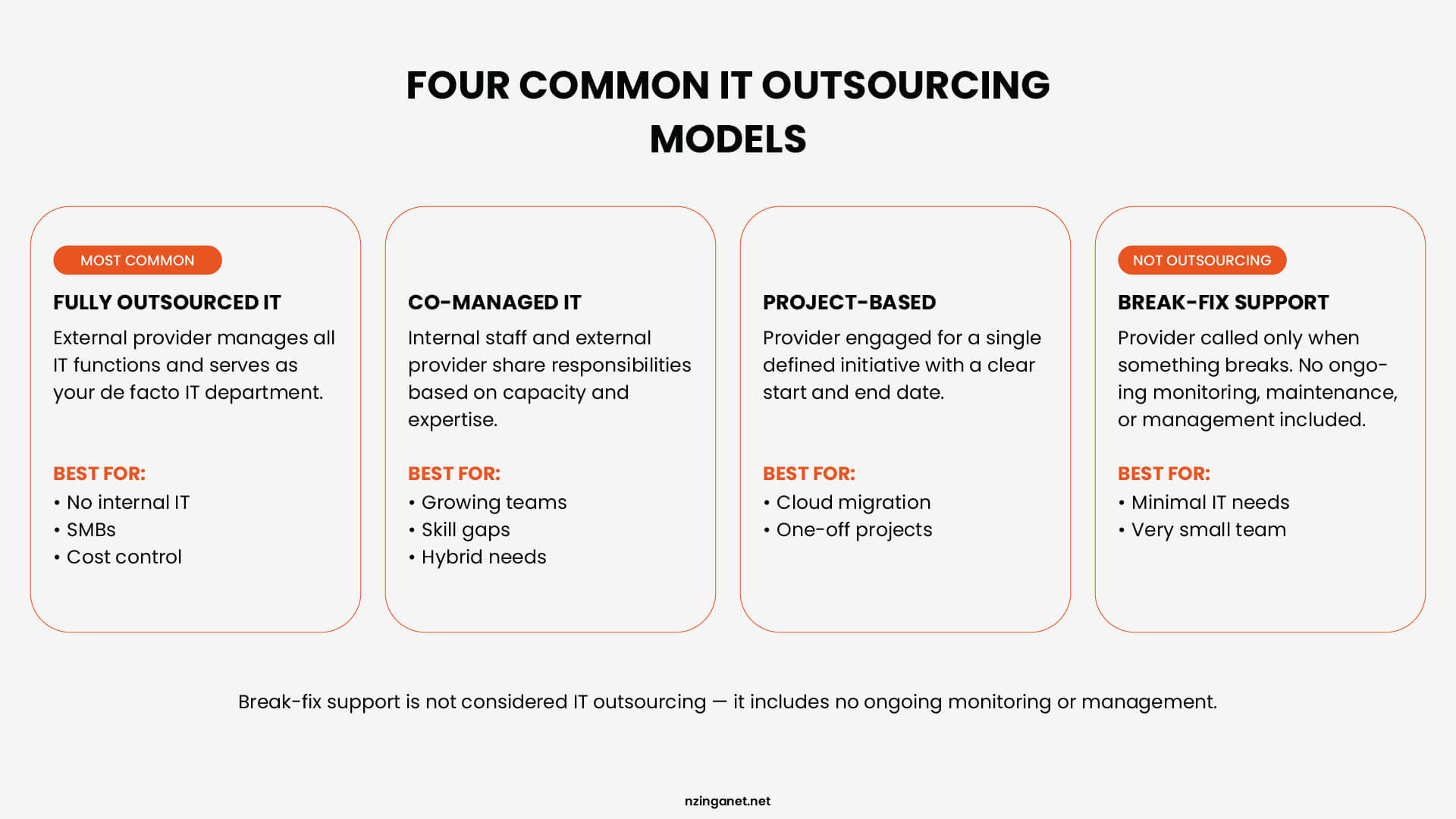
The specific arrangement falls into one of several categories:
MODEL 1
Fully Outsourced IT (Managed Services)
The external provider manages all IT functions. They serve as the de facto IT department. This model provides predictable monthly costs and gives the business access to a team with a wide range of technical expertise. It is most suitable for small to medium-sized businesses that want to focus on their core operations without worrying about technology management.
MODEL 2
Co-Managed IT
Internal staff and an external provider share responsibilities. This is typically used when the internal team lacks capacity for a specific project or requires expertise the business cannot justify hiring internally. The external provider fills specific gaps, such as after-hours support or specialized project work, while the internal team retains control over daily operations and strategy.
MODEL 3
Project-Based Outsourcing
A provider is engaged for a single, defined initiative with a clear end date. Examples include migrating data to the cloud or installing a new network. The provider is brought in for their specialized skills, completes the work within a set timeline and budget, and then the engagement concludes.
MODEL 4
Break-Fix Support
The provider is called only when a problem occurs and bills by the hour. This model includes no ongoing monitoring or management and is not considered IT outsourcing in the context of this discussion. Costs are unpredictable with this model, and there is no effort made to prevent issues before they cause downtime.
What Outsourcing Does Not Mean
Outsourcing IT does not mean losing visibility into or control over your technology environment. A reputable provider keeps you informed, involves you in decisions that affect operations, and functions as an extension of your business rather than a black box that handles things you never hear about again.
You retain final authority over strategy and major changes, while the provider handles the execution and daily management based on your direction. The goal is a partnership where you gain expertise and capacity without giving up ownership of your systems or data.
THE RIGHT TIMING
When Should a Business Consider Outsourcing IT?
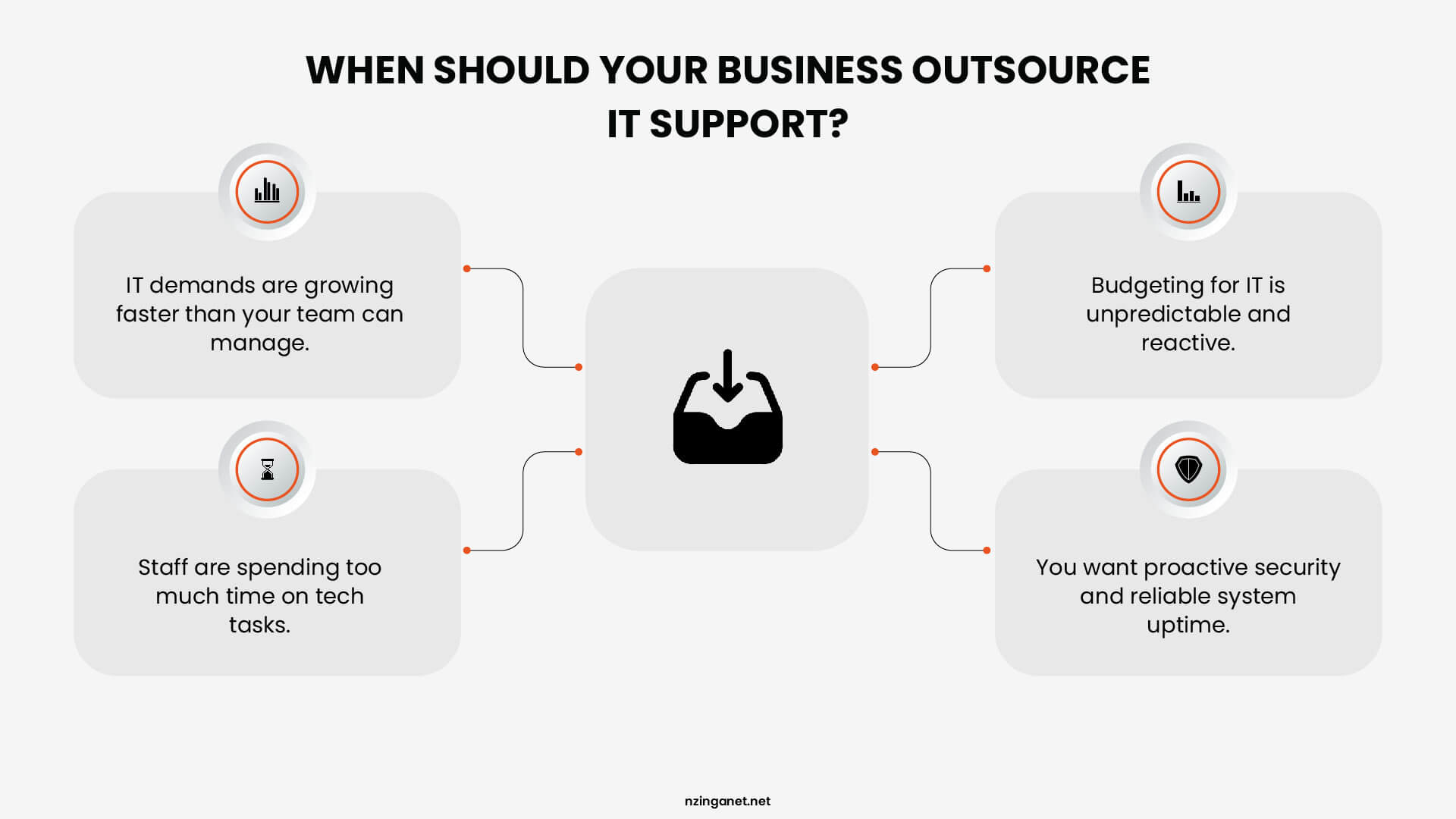
The decision to outsource IT services comes down to a simple comparison. You should consider outsourcing when the cost, the risk, or the daily burden of handling your own technology is greater than what a good external provider would charge to do it better.
This point is different for every business. It depends on how large the company is, how complex its technology needs are, and what rules it must follow for its industry. However, there are common signs that suggest a business has reached this point or should at least look into it.
According to Deloitte's 2025 Global Business Services (GBS) Survey, approximately 50% of responding organizations achieved over 20% savings from their GBS operations, highlighting cost efficiency as a key benefit of outsourcing models like IT services.
READINESS INDICATORS
The 7 Signs Your Business Is Ready to Outsource IT Services
The global outsourcing market is valued at around $638.65 billion in 2026. IT services alone account for approximately 72 percent of all outsourcing contract values worldwide.
That number matters because it shows something important. Businesses are not outsourcing IT out of desperation or because they have failed. They are doing it because it works, and they are doing it at scale across every industry.
But knowing that outsourcing works for other businesses does not automatically tell you whether your business is ready for it. The timing of the decision matters just as much as the decision itself.
To help you figure out where your business stands, here are seven signs that point clearly toward one answer:
| # | Sign | Problem it signals | How outsourcing fixes it |
|---|---|---|---|
| 1 | Unpredictable IT costs | Break-fix billing creates surprise invoices with no way to budget reliably | Fixed monthly fee replaces reactive spending with financial predictability |
| 2 | No clear security plan | Past incidents with no written response plan, tested backups, or active monitoring | Managed provider addresses security gaps as a baseline, not an afterthought |
| 3 | Slow onboarding and inconsistent offboarding | No formal process means delayed access for new hires and lingering access for leavers | Standardized provisioning and revocation procedures built into the service |
| 4 | IT depends on one person | Single point of failure for availability, expertise, and regulatory knowledge | Team of specialists with divided areas of expertise and continuous coverage |
| 5 | Compliance handled informally | Regulated obligations managed between other responsibilities, rarely reviewed formally | Provider documents compliance posture and flags regulatory changes on an ongoing basis |
| 6 | Technology decisions keep getting deferred | No one has time or ownership to plan upgrades, causing aging systems and mounting risk | Infrastructure planning treated as a continuous responsibility, not a crisis response |
| 7 | Cannot answer partner security questions | Unable to provide documentation or certifications required by enterprise clients | Provider helps achieve and maintain the certifications that open commercial doors |
1. Your IT Costs Change Every Month and You Cannot Predict Them
When IT support works on a break-fix basis, meaning you pay when something goes wrong, costs arrive without warning. A failed hard drive, a corrupted database, or an urgent weekend callout each comes with its own invoice. There is no reliable way to plan for any of them in advance.
This makes budgeting harder than it needs to be. It also means your spending is entirely reactive. You pay the most precisely when things are already going wrong, rather than investing steadily to reduce the chances of things going wrong in the first place.
Outsourced IT services typically operate on a fixed monthly fee. You know the cost upfront, it does not change based on what breaks, and there are no surprise invoices at the end of the month. For businesses that need financial predictability, that structure alone is a strong reason to make the switch.
2. You Are Worried About Cybersecurity but Do Not Have a Clear Plan
A security incident does not have to be a major breach to be a warning sign. A phishing email that someone clicked, a password that was compromised, or a ransomware attempt that was caught before it spread all signal that your current setup has gaps. The next incident may not be caught in time.
HIPAA penalties alone can reach up to $1.5 million annually for repeated violations, and that is before accounting for legal costs, client notification requirements, and lost business. Many small business owners are not aware of what they are liable for until they are already in an investigation.
Knowing when to outsource IT support often comes down to this: if a security incident has already occurred and your business still does not have a written response plan, tested backups, or active monitoring, you are carrying a risk that a managed IT provider would address as a baseline.
3. New Hires Take Too Long to Set Up and Offboarding Is Inconsistent
Every time a new employee joins, someone needs to set up their device, create their accounts, assign software licenses, and configure their access permissions. When this is handled informally, it takes longer than it should, and the result is rarely consistent. One person gets set up in a day. Another is still waiting for access to essential tools at the end of their first week.
Offboarding carries even more risk. When a staff member leaves and no formal process exists for revoking access, former employees can sometimes retain access to company systems, files, or email accounts for weeks or months after their departure. This is one of the most common sources of internal data exposure, and it is almost entirely preventable.
Small business IT support that is properly managed includes standardized onboarding and offboarding procedures as part of the service. Access is provisioned from a template, revoked on a set timeline, and documented throughout.
4. Your IT Relies Entirely on One Internal Person
When a single employee handles all IT responsibilities, the business is one resignation, one sick day, or one period of leave away from having no IT support at all. Beyond availability, there is the question of depth. A single generalist cannot reasonably maintain current knowledge across networking, cybersecurity, cloud infrastructure, compliance, and hardware support simultaneously.
Nearly three out of four countries globally now have data protection laws in place, and the requirements within those laws change regularly. Staying current is itself a full-time responsibility, and it is one that a single internal IT person is unlikely to be able to prioritize alongside everything else they manage.
Outsourced IT services give you access to a team with divided areas of expertise. Cover does not disappear when one person is unavailable, and you are not dependent on the knowledge or availability of any single employee.
5. You Operate in a Regulated Industry and Compliance Is Handled Informally
Healthcare, finance, legal, and education businesses all carry specific obligations around how data is stored, who can access it, and how incidents must be reported. These requirements are not static. As of March 2025, all future-dated requirements under PCI-DSS v4.0 became mandatory, meaning what was compliant last year may no longer meet current standards.
Many small businesses in regulated industries manage compliance informally, which usually means one person keeps track of it between other responsibilities, and the last formal review was longer ago than anyone would like to admit.
This approach tends to hold up until it does not, at which point the penalties and remediation costs are considerably higher than the cost of staying compliant would have been.
Why outsource IT services in a regulated environment comes down to accountability. A managed provider will document your compliance posture, flag changes in relevant regulations, and ensure your systems meet current standards on an ongoing basis rather than as a periodic exercise.
6. Technology Decisions Keep Getting Deferred Because No One Has Time to Own Them
There is a server that needs replacing. A cloud migration that has been discussed for two years. A software platform the team outgrew, but no one has had the bandwidth to evaluate alternatives. These deferred decisions do not stay neutral over time. Older systems become harder to secure, more expensive to support, and increasingly incompatible with the tools your business needs to run well.
The reason these decisions get pushed is understandable. Planning and executing a technology change takes time, expertise, and a period of disruption. For a business where IT is no one's primary responsibility, it is easy to keep moving it to the next quarter.
Outsourced IT services for small businesses treat infrastructure planning as a continuous responsibility, not a project that surfaces when something breaks. Upgrades are scheduled around your operations, and deferred decisions are identified and addressed before they become urgent problems.
7. Partners Are Asking About Your IT Security and You Cannot Answer Confidently
Winning contracts with larger clients, working with enterprise partners, or tendering for government work increasingly requires you to demonstrate that your IT environment meets specific standards.
This might mean completing a vendor security questionnaire, providing evidence of Cyber Essentials certification, or showing that your data handling practices meet a recognized framework.
Businesses that have not invested in outsourced IT services often reach this point and realize they cannot provide the documentation that is being requested. In some cases this delays deals. In others it ends them.
This is one of the clearer reasons why outsourcing IT support makes commercial sense, beyond the operational ones. A managed IT provider can help you achieve and maintain the certifications and standards that open doors to clients who would otherwise look elsewhere.
IMPORTANT EXCEPTIONS
When Outsourcing IT Might Not Be the Right Answer
While outsourcing IT offers a practical solution for many organizations, it is not a one-size-fits-all strategy. In certain situations, maintaining an in-house IT department is the more strategic choice. Recognizing the conditions that favor internal capability is just as critical as identifying the signs that suggest it's time to outsource.
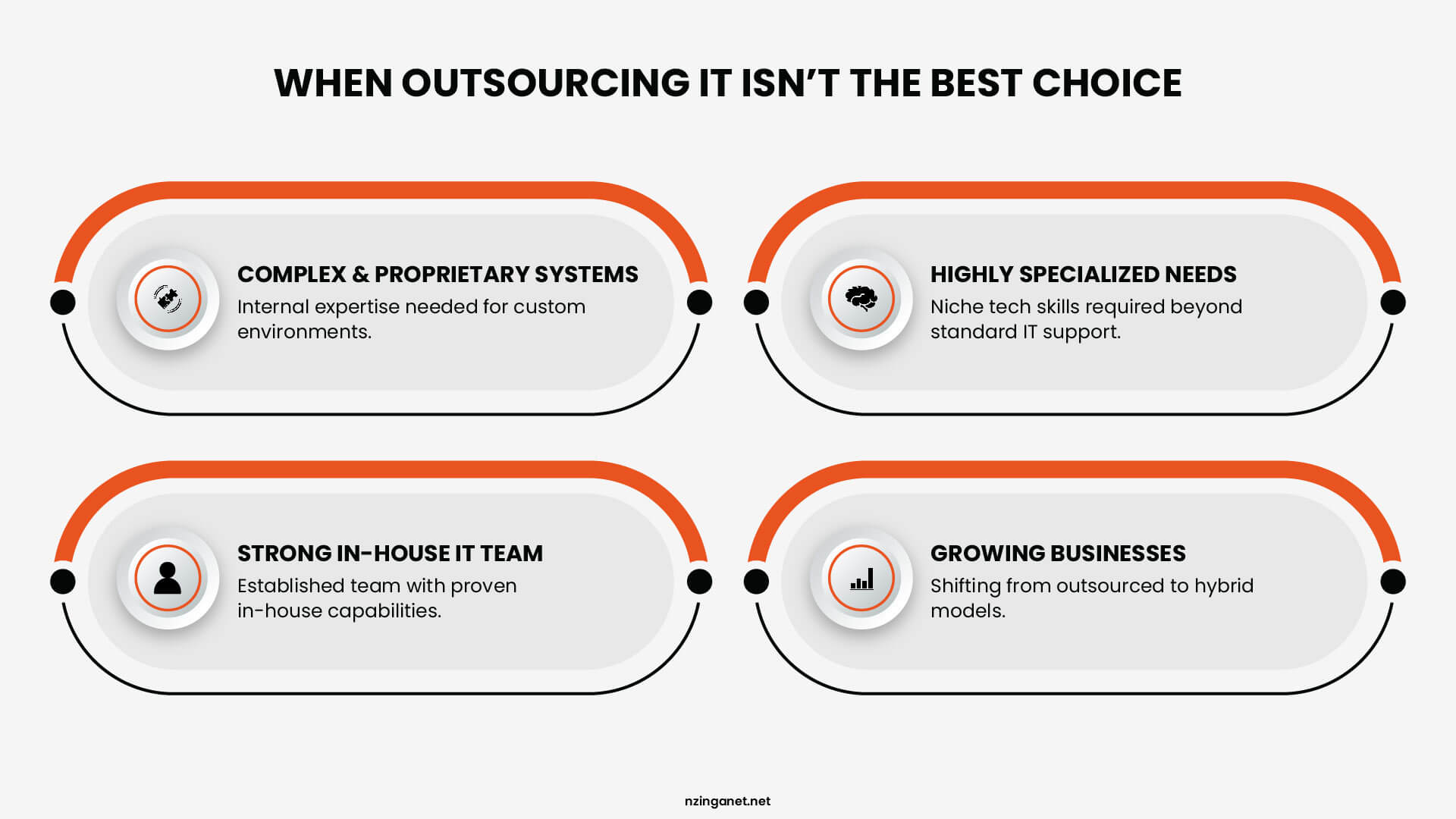
- For very large organizations with complex proprietary systems that require deep institutional knowledge to manage effectively, a fully outsourced IT services model may not provide the level of control and customization the environment demands.
- Businesses with highly specialized technical needs that fall outside what a generalist managed IT provider can competently support may find that the coverage they receive does not match what the agreement implied.
- And organizations that have already built a capable, well-rounded internal IT team may find that the cost efficiency argument is less compelling than it would be for a business starting with no internal capacity at all.
Many companies change their approach as they grow. A business that outsources IT when it is small may later reach a size where hiring its own staff makes more sense. At that point, it might use a co-managed model where some work stays inside and some is still handled by an outside provider.
The question of when to outsource IT is really about finding the right model for where the business is now. The choice does not have to be permanent.
THE PROCESS
What to Expect When You Outsource IT Services
For businesses that have never worked with a managed provider before, understanding how the process works makes the decision easier to evaluate.
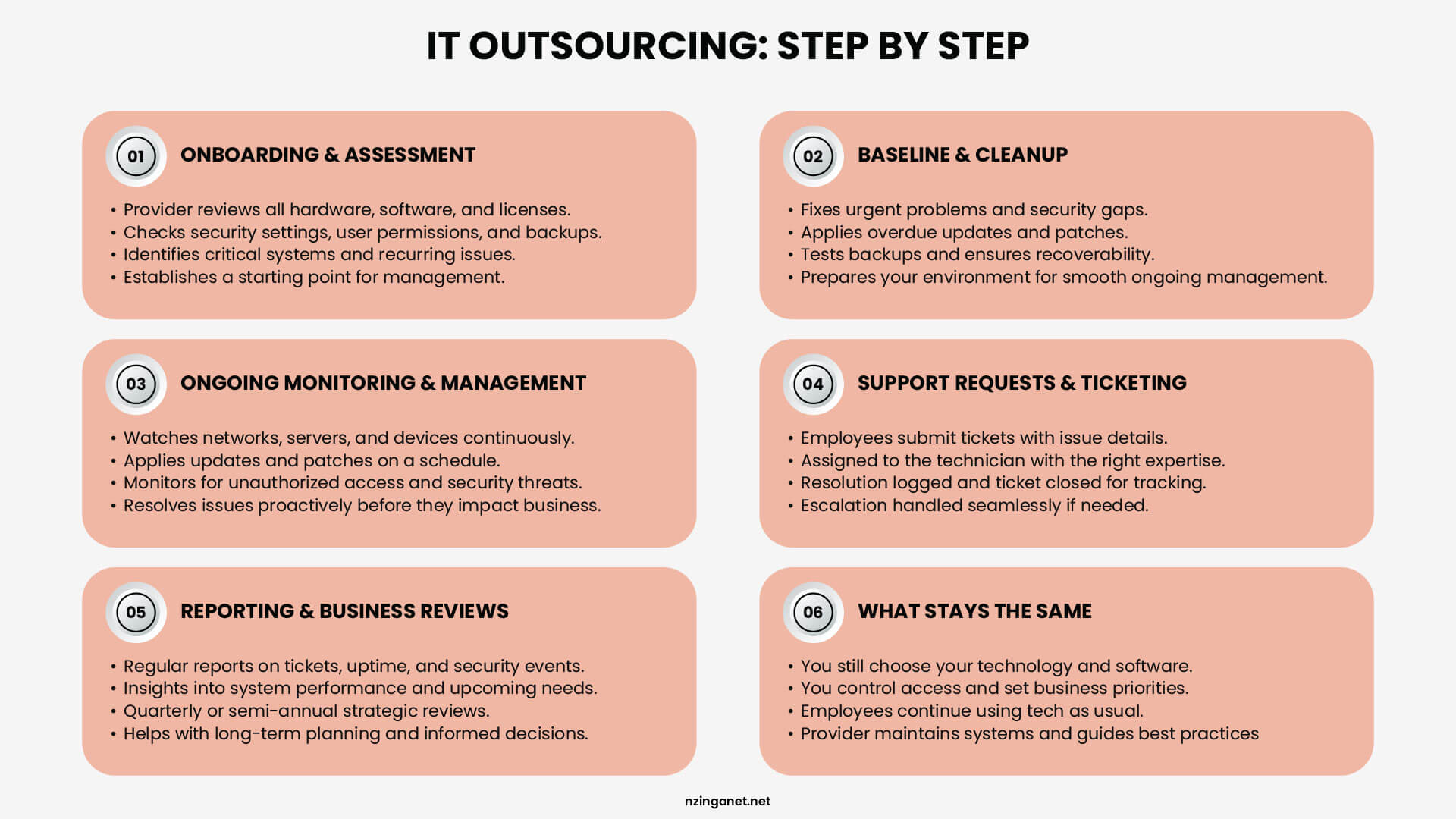
The Onboarding and Assessment Phase
The relationship does not begin with the provider taking over operations on day one. It begins with a structured assessment of your current environment. The provider needs to understand what systems you run, how they are configured, what security measures are in place, and where deferred maintenance exists.
This phase typically includes:
- A list of all hardware, software, and licenses
- A review of security settings and user permissions
- A list of critical systems and applications
- Notes on problems that come up often
The provider uses this information to establish a starting point. They cannot manage systems they have not seen, and they cannot secure systems they have not identified. This phase takes time and requires some effort from your staff, but it is necessary.
The Baseline and Cleanup Period
After the assessment, the provider addresses urgent problems and gaps they found. If updates have been delayed, they are applied. If security settings are wrong, they are fixed. If backups have not been tested, they are checked.
During this period, you may see more activity from the provider than usual. That is normal. They are bringing your environment to a condition they can maintain over time. Once that baseline is set, the amount of reactive work drops.
Ongoing Monitoring and Management
Once your environment is stable, the provider moves to regular maintenance. This includes:
- Watching networks, servers, and devices for issues
- Applying updates and patches on a regular schedule
- Checking backups to confirm data can be restored
- Monitoring for unauthorized access attempts
Most issues are addressed before you become aware of them. When you do need assistance, you contact the provider's IT help desk services through a defined channel such as phone, email, or a support portal.
How Support Requests Actually Work
When an employee has a problem, they submit a ticket. The ticket includes details about the issue. It is assigned to a technician with the right skills. The technician fixes the problem and logs the resolution. The ticket is closed and kept on record.
This process is different from informal setups where you message one person and hope they are free. Tickets do not get lost. Priorities are clear. Response times are stated in your agreement. If a technician cannot resolve an issue, they can pass it to someone else on the team.
Reporting and Business Reviews
A managed services provider reports on what they are doing. You receive regular summaries of:
- Issues resolved and ticket volumes
- System uptime and performance
- Security events and actions taken
- Upcoming recommendations or projects
These reports show that agreed services are being delivered. They also give you information about your technology that internal staff often lack time to produce. Quarterly or semi-annual reviews cover long-term planning and upcoming needs.
What Does Not Change
Some things stay the same. You still decide what technology to buy. You still choose what software your team uses. You still control who has access to what. The provider carries out your decisions and advises you on best practices, but your leadership still sets the direction.
Employees still use technology the same way. The difference is that when something breaks, there is a clear process for getting it fixed, and systems are maintained to prevent problems before they happen.
TAKE ACTION
Ready to Find Out Where Your Business Stands?
If several of the signs in this guide feel familiar, the most useful next step is a conversation with a provider willing to assess your current environment honestly and explain what a managed IT arrangement would and would not cover for your specific situation.
NzingaNet works with businesses across a range of sizes and industries to evaluate where their current IT setup has gaps and what structured outsourced IT services would look like in practice. A consultation provides a clearer picture of where you stand, which is useful information regardless of what you decide afterward.
COMMON QUESTIONS
Frequently Asked Questions
1. When should a small business outsource IT services?
A small business should reconsider its IT support arrangement when technology problems regularly disrupt operations, security feels uncertain or inadequately managed, IT costs are unpredictable, or the business is growing faster than the current support arrangement can accommodate. Any one of these conditions is sufficient reason to evaluate alternatives.
2. Is outsourcing IT worth it for a small business?
For most small businesses, outsourcing IT reduces total technology costs, improves security, and frees staff to focus on their actual responsibilities rather than managing systems or waiting on problems to be resolved. The value is clearest when the alternative is reactive break-fix support, dependence on a single internal resource with limited capacity, or an arrangement that leaves security and maintenance largely unaddressed.
3. What are the risks of outsourcing IT services?
The primary risks include choosing a provider whose service delivery does not match what the agreement promises, an inadequate onboarding process that leaves gaps in documentation and system knowledge, and over-reliance on an external team that reduces your own visibility into your technology environment. These risks are manageable through careful provider selection, clearly defined contract terms, and ongoing communication that keeps you informed about your own systems.
4. How long does it take to transition to an outsourced IT model?
A structured onboarding process typically takes between two and six weeks depending on organization size and complexity. During that period, the provider documents the existing environment, deploys monitoring and management tools, addresses deferred maintenance, and establishes the baselines needed to manage systems effectively on an ongoing basis.
5. Can you outsource IT if you already have an internal IT person?
Yes. A co-managed arrangement allows an internal IT employee to focus on strategic work and areas that benefit from institutional familiarity while the external provider handles monitoring, help desk volume, after-hours coverage, and areas outside the internal team's expertise or capacity. This model works well for businesses that want both the continuity of internal staff and the broader coverage an external team provides.
6. What should a business look for when choosing an outsourced IT provider?
Look for a provider that offers clearly defined response times, transparent pricing with no hidden fees, and a structured onboarding process that documents your environment before making changes. Ask for references from businesses of a similar size in your industry, confirm how they handle security incidents and compliance requirements, and review the contract terms for how easily you can adjust or exit the agreement if the fit is not right.
PENNSYLVANIA & BEYOND
Outsource IT With Confidence: NzingaNet Has You Covered
NzingaNet provides managed IT outsourcing services to small and mid-sized businesses across Pennsylvania and the surrounding region. From your first assessment to ongoing monthly management, we handle the technology so you can focus on running your business.