August 3, 2026
Technology keeps your business running, but the way you manage IT support can determine how well your operations perform when problems occur. A system outage, security issue, or hardware failure can quickly impact productivity, customer experience, and revenue.
That is why many businesses compare managed IT services vs. break-fix IT support when deciding how to handle their technology needs. Should you wait for problems to happen and pay for repairs, or partner with an IT outsourcing service that proactively monitors, maintains, and secures your systems?
In this guide, we compare both models, including managed service provider (MSP) and break-fix meaning, costs, response times, downtime risks, benefits, and limitations, to help you understand which IT support approach best fits your business.
TABLE OF CONTENTS
- Managed IT Services vs Break-Fix: Side by Side Comparison
- What Is Break-Fix IT Support?
- What Are Managed IT Services?
- Managed IT Services Pricing vs Break-Fix Pricing
- Response Time and Downtime Comparison
- Pros and Cons of Break-Fix IT Support
- Pros and Cons of Managed IT Services
- When Break-Fix IT Support Makes Sense
- When Managed IT Services Are the Better Choice
- Managed IT Services vs Break-Fix: Decision Checklist
- Build a More Reliable IT Future With the Right Support Model
- Frequently Asked Questions
Managed IT Services vs Break-Fix: Side by Side Comparison
| Factor | Break Fix | Managed IT Services |
|---|---|---|
| Payment structure | Pay per incident | Fixed monthly fee |
| Monitoring | None | Continuous, 24/7 |
| Response time | Varies, no SLA | Guaranteed SLA |
| Cybersecurity | Reactive, after an incident | Proactive, ongoing threat detection |
| Software updates | Manual, as needed | Automated and scheduled |
| Budget predictability | Low, costs spike with incidents | High, fixed monthly cost |
| Best suited for | Small, stable IT environments | Growing or complex IT environments |
| Provider incentive | More incidents mean more revenue | Fewer incidents mean lower service cost |
| Scalability | Limited, no built in growth plan | Built to scale with the business |
| Contract commitment | None | Typically 12 to 36 month agreement |
What Is Break-Fix IT Support?
Break-fix is an IT support model where a provider is paid only when a problem occurs. There is no ongoing contract, no continuous monitoring, and no fixed monthly fee. You call the provider, they diagnose and repair the issue, and you pay for that specific job through an hourly rate or a flat service charge.
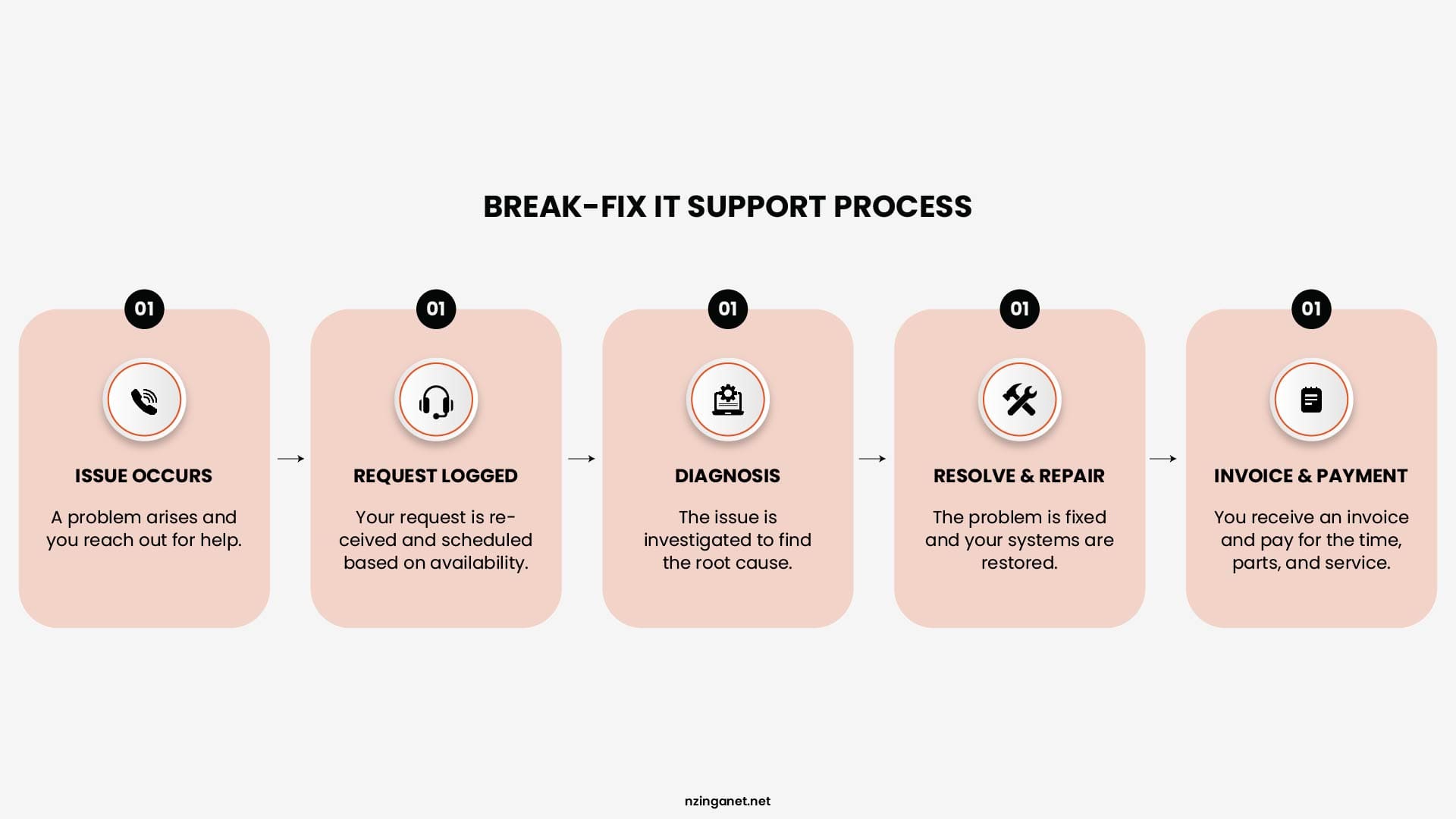
Key characteristics of the break-fix model
- Pay per incident, not a recurring subscription
- No proactive monitoring between service calls
- Response times depend on provider availability and current workload
- Billing is based on labor hours, parts, and service call fees
- No guaranteed uptime or service level agreement (SLA)
What are Managed IT Services?
Managed IT services are a subscription based support model where a Managed Services Provider (MSP) monitors, maintains, and secures your IT systems for a fixed monthly fee. Coverage typically includes network monitoring, patch management, cybersecurity, data backup, and help desk support, all bundled under a signed service agreement with defined response times.
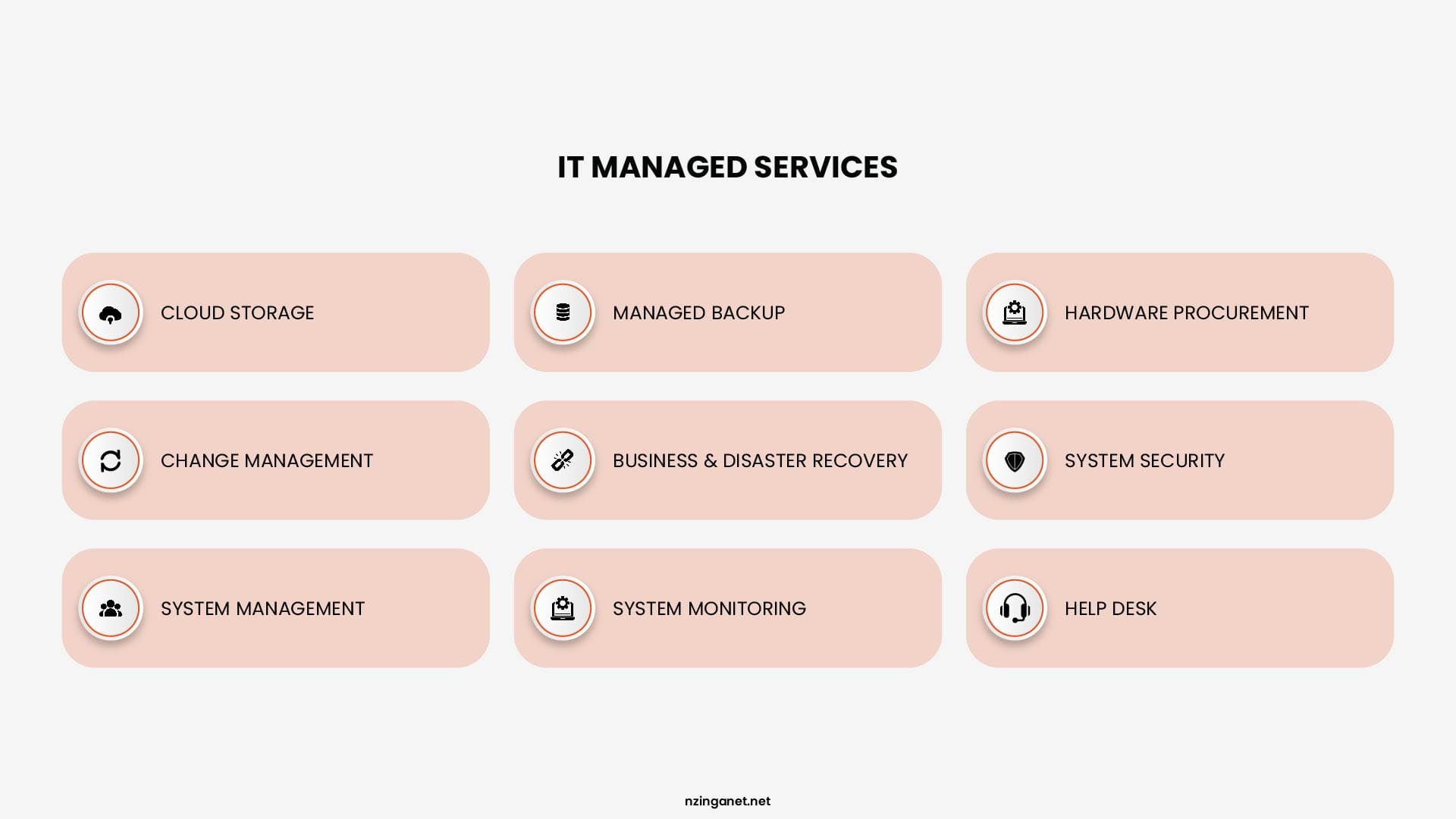
Key characteristics of managed IT services
- Flat monthly fee, usually billed per user or per device
- Continuous, around the clock system monitoring
- Preventive maintenance and automatic software patching
- Guaranteed response times defined in an SLA
- Proactive cybersecurity monitoring and threat detection
- Access to a full team of specialists rather than one technician
Managed IT Services Pricing vs Break-Fix Pricing
When comparing IT support options, the biggest difference between break-fix pricing and managed IT services pricing is how costs are structured and managed.
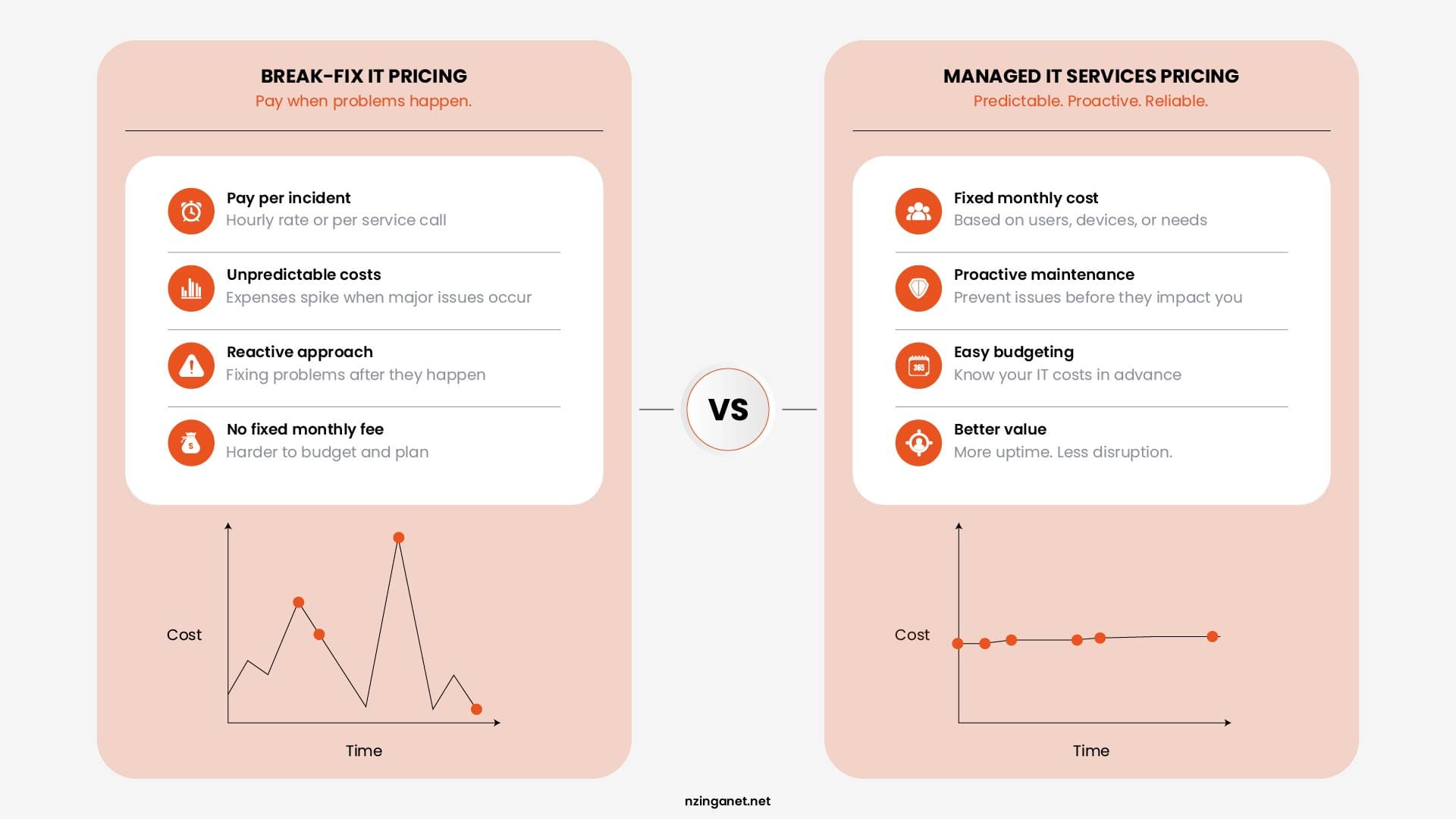
Break-Fix IT Pricing
Typically, break-fix providers charge an hourly rate or a fee per service call. Hourly rates commonly range from $100 to $200 per hour, depending on factors such as location, technical complexity, and the level of expertise required. Additional costs may apply for hardware replacements, emergency support, after-hours assistance, or specialized services.
The main challenge with break-fix pricing is that monthly expenses are unpredictable. In a month where systems run smoothly, IT costs may be minimal or even zero. However, a major issue such as a server failure, cybersecurity breach, or network outage can result in unexpected expenses reaching thousands of dollars.
Managed IT Services Pricing
Managed IT services pricing usually cost between $100 and $300 per user each month. Costs depend on your business size, required security levels, and the pricing model.
| Pricing Model | Typical Range | What It Covers |
|---|---|---|
| Per user pricing | $100-$250 per user | Help desk support, system monitoring, cybersecurity, software updates, patch management, and support for each employee |
| Per device pricing | $50-$150 per device | Monitoring, maintenance, updates, and management of individual computers, servers, or network devices |
| Tiered flat-rate pricing | $1,000-$10,000+ per month | A complete IT support package based on company size, technology needs, and required service level |
For example, a company with 30 employees may spend approximately $3,000 to $7,500 per month for comprehensive managed IT services. The advantage is that the business knows its expected IT expenses in advance and can budget accordingly.
With break-fix support, the same company may spend less during periods without technical problems, but costs can increase dramatically when serious issues occur, such as ransomware attacks, major hardware failures, or widespread system downtime.
Ultimately, managed IT services provide businesses with predictable costs, proactive maintenance, stronger security, and reduced downtime, while break-fix support focuses mainly on solving problems after they occur.
Response Time and Downtime Comparison: Managed IT Services vs Break-Fix
One of the biggest differences between break fix vs managed services provider is how quickly problems are identified and resolved. The approach a business chooses can directly impact system reliability, employee productivity, and the overall cost of IT disruptions.
| Metric | Break Fix | Managed IT Services |
|---|---|---|
| Issue detection | Problems are usually discovered after a user reports them | Automated monitoring identifies issues early, often before users notice |
| Average response time | Hours to days, with no guaranteed response time in many cases | Defined through an SLA, with critical issues often addressed within an hour |
| Emergency support | Usually charged at additional premium rates | Typically included within the monthly service agreement |
| Downtime risk | Higher because problems are detected after disruption begins | Lower because issues are identified and resolved proactively |
The Business Impact of Downtime
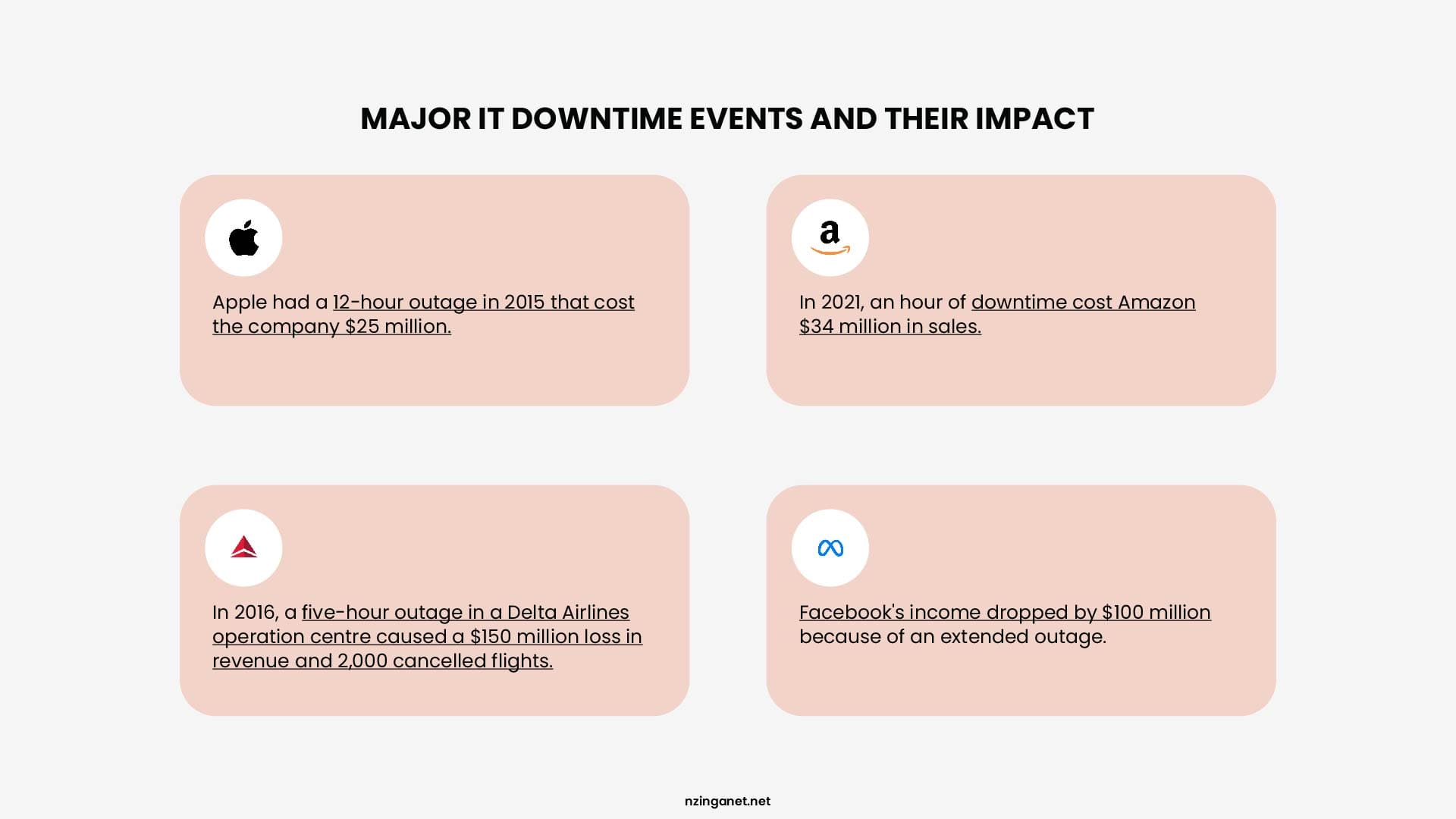
The financial impact of downtime can be significant. While costs vary by industry and company size, unexpected IT outages can result in thousands of dollars in losses through reduced employee productivity, missed sales opportunities, interrupted customer service, and recovery expenses.
For businesses that rely heavily on technology, uptime is directly connected to revenue and customer satisfaction. This is why many organizations choose managed IT services: the goal is not only to fix problems faster but to prevent many problems from occurring in the first place.
Pros and Cons of Break-Fix IT Support
Break-fix IT support can be a practical option for businesses with simple technology needs and limited IT requirements. Instead of paying a recurring monthly fee, businesses only pay when they need technical assistance. While this approach can provide flexibility and lower upfront costs, it also comes with limitations related to downtime, security, and long-term planning.
Advantages of Break-Fix IT Support
- No Monthly Contract: One of the main benefits of the break-fix model is that businesses are not tied to a recurring service agreement. Companies can contact an IT provider when an issue occurs without committing to a long-term contract.
- Lower Cost for Small Businesses With Minimal IT Needs: For very small businesses that rarely experience technology problems, break-fix support may be more affordable than paying for ongoing managed services. If IT issues are uncommon, paying only when support is required can reduce monthly expenses.
- Pay Only When Support Is Needed: Break-fix follows a simple pay-as-you-go structure. Businesses are charged for the specific repair, troubleshooting, or maintenance work performed rather than paying for continuous monitoring and management.
- Simple Service Arrangement: The break-fix model is straightforward. When something goes wrong, the business contacts an IT provider, the problem is diagnosed, and the company pays for the solution.
Disadvantages of Break-Fix IT Support
- Unpredictable Expenses: Although businesses may spend less during quiet periods, costs can increase significantly when major problems occur. A hardware failure, cybersecurity incident, or network outage can result in unexpected repair bills and emergency service charges.
- Longer Downtime: Because issues are typically discovered only after they affect users, businesses may experience longer periods of disruption while waiting for diagnosis and repairs.
- No Proactive Maintenance: Break-fix providers usually focus on resolving existing problems rather than continuously monitoring systems, applying updates, or preventing future issues.
- Limited Strategic IT Planning: The break-fix approach is mainly focused on immediate repairs rather than helping businesses plan technology improvements, security strategies, or future IT investments.
- Higher Risk During Emergencies: When a critical issue occurs, businesses may need immediate assistance, but response times can depend on provider availability. Emergency support may also come with additional fees.
Pros and Cons of Managed IT Services
Managed IT services provide a proactive approach to technology management. It continuously monitors, maintains, and protects a company's IT environment for a predictable monthly fee. This model is designed for businesses that depend on reliable technology, require stronger security, or want ongoing IT guidance.
Advantages of Managed IT Services
- Predictable Monthly Costs: Managed IT services operate on a fixed monthly pricing model, allowing businesses to budget for IT expenses more accurately. Instead of facing unexpected repair bills, companies know what they will pay each month.
- Reduced Downtime: Through continuous monitoring, automated maintenance, and proactive troubleshooting, managed IT providers can identify and resolve many issues before they disrupt employees or customers.
- Better Cybersecurity Protection: Managed IT services typically include security-focused solutions such as system monitoring, patch management, endpoint protection, backup oversight, and threat detection to reduce cybersecurity risks.
- Access to Multiple IT Experts: Rather than relying on a single technician, businesses gain access to a team of specialists with expertise across areas such as networking, cybersecurity, cloud services, and infrastructure management.
- Long-Term Technology Planning: Managed IT providers help businesses make strategic technology decisions by recommending improvements, planning upgrades, and aligning IT systems with business goals.
- Easier Business Growth: As a company grows, managed IT services can scale with changing needs. New employees, devices, applications, and security requirements can be managed through an established support framework.
Disadvantages of Managed IT Services
- Requires a Monthly Investment: Unlike break-fix support, managed IT services require an ongoing monthly payment. For businesses with very limited technology needs, this investment may feel unnecessary.
- Usually Involves a Contract: Many managed IT providers require service agreements that typically range from 12 to 36 months. Businesses should carefully review the contract terms, included services, and support levels before signing.
- May Include Services a Very Small Company Does Not Need: Some smaller businesses with simple IT environments may pay for advanced services or monitoring features that they do not currently require.
Overall, break-fix IT support may work well for businesses with minimal technology dependence and occasional support needs. However, companies that rely on technology for daily operations often benefit from the proactive support, security, and predictability that managed IT services provide.
When Break-Fix IT Support Makes Sense
Although managed IT services have become the preferred approach for many growing businesses, break-fix IT support can still be a suitable option in certain situations:
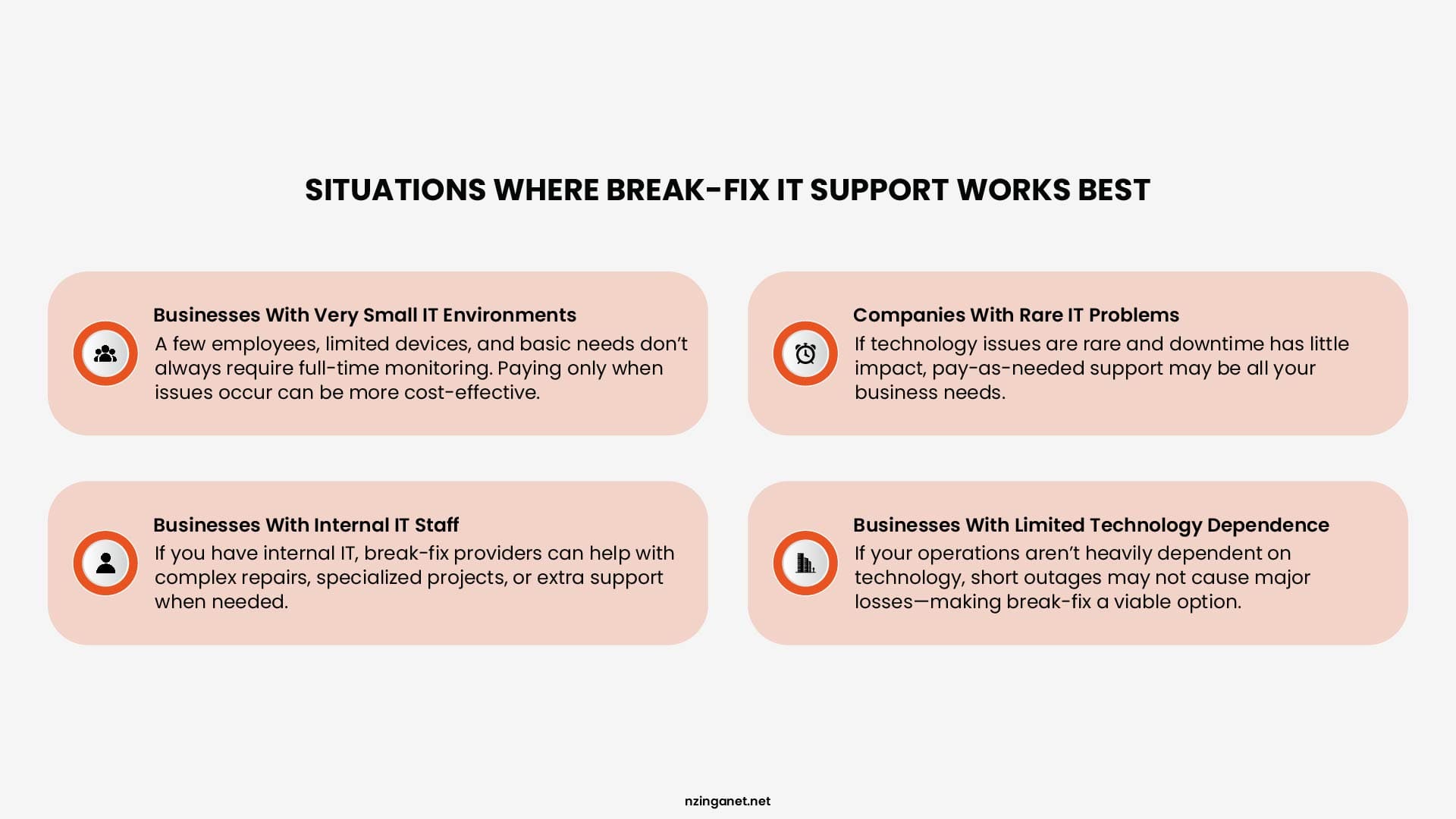
Businesses With Very Small IT Environments
Companies with only a few employees, a small number of devices, and basic technology needs may not require full-time monitoring and management. For these businesses, paying for support only when an issue occurs may be a practical and cost-effective solution. For example, a small office with a handful of computers, basic software applications, and limited network requirements may only need occasional troubleshooting or hardware assistance.
Companies With Rare IT Problems
If a business experiences very few technology issues and downtime does not significantly impact daily operations, the pay-as-needed structure of break-fix support may be sufficient. Organizations that rarely need technical assistance may find that a monthly managed IT agreement provides more services than they currently require.
Businesses With Internal IT Staff
Some companies already have an internal IT employee or department that handles daily technology management but occasionally needs outside expertise. In these cases, break-fix providers can serve as an additional resource for specialized projects, complex repairs, or temporary support.
Businesses With Limited Technology Dependence
Companies that do not rely heavily on technology for revenue generation or customer service may be more comfortable with a reactive IT model. If a short outage does not create major financial losses, occasional support may meet their needs. However, businesses choosing break-fix should understand that lower upfront costs often come with higher uncertainty. As technology becomes more critical to business operations, the risks associated with delayed response times, security issues, and unexpected downtime can increase.
When Managed IT Services Are the Better Choice
For many modern businesses, technology is a core part of daily operations. Employees rely on computers, cloud applications, networks, and cybersecurity systems to serve customers and complete work. In these environments, managed IT services provide a more proactive and reliable approach.
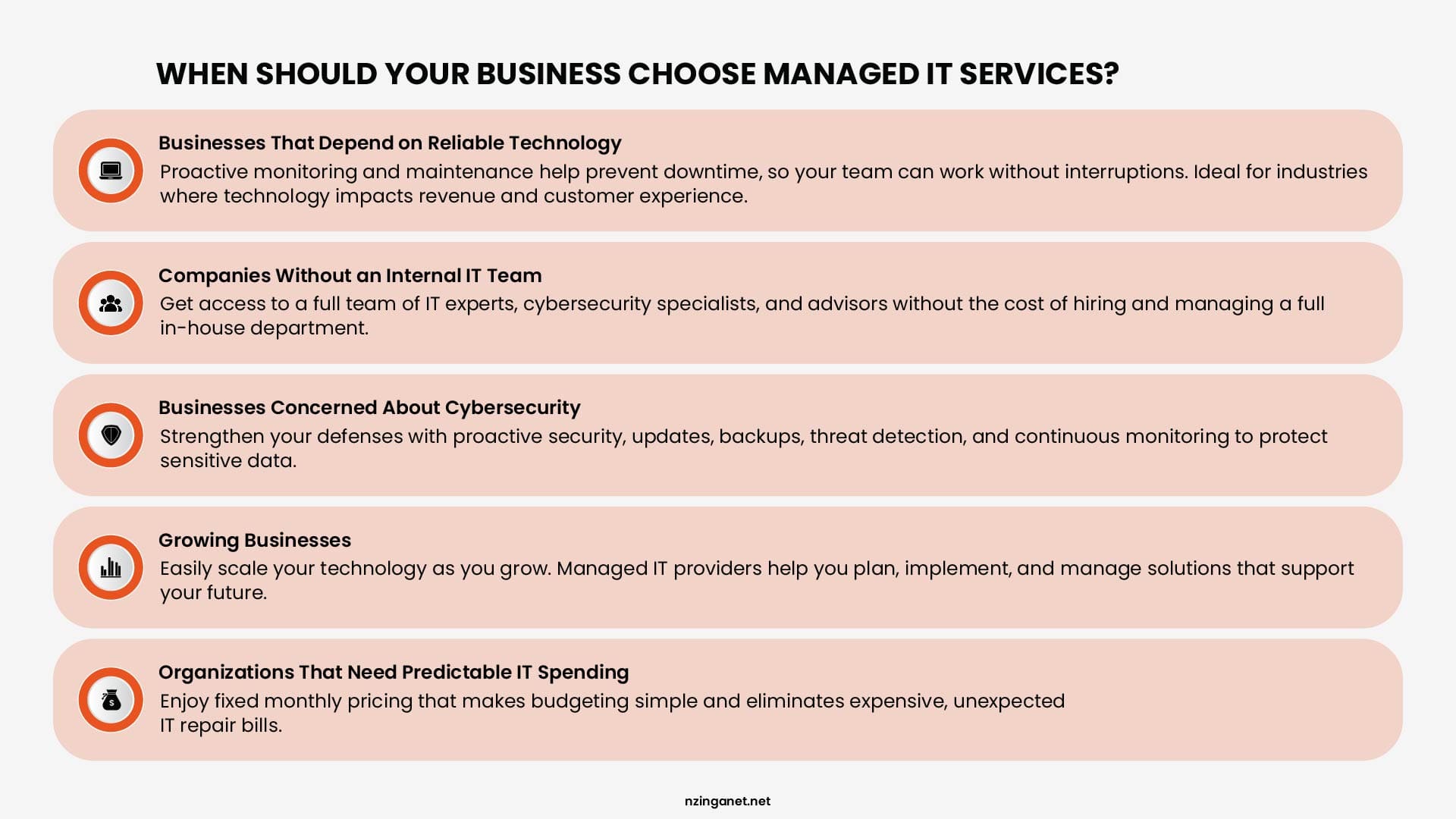
Businesses That Depend on Reliable Technology
If employees cannot work when systems go down, downtime can quickly become expensive. Managed IT services help reduce interruptions by continuously monitoring systems, identifying potential issues, and resolving problems before they significantly impact operations. Industries such as healthcare, finance, professional services, manufacturing, and online businesses often benefit from proactive IT management because technology failures can directly affect revenue and customer experience.
Companies Without an Internal IT Team
Small and medium-sized businesses often need professional IT support but do not have the budget to hire a full internal IT department. A managed service provider gives them access to experienced technicians, cybersecurity specialists, and technology advisors without the cost of building an entire in-house team.
Businesses Concerned About Cybersecurity
Cyber threats continue to increase in frequency and complexity. Companies that handle customer information, financial data, or confidential business records need more than occasional troubleshooting. Managed IT services typically include security practices such as proactive monitoring, software updates, vulnerability management, backup oversight, and threat detection to help reduce cybersecurity risks.
Growing Businesses
As companies grow, their technology needs become more complex. Adding employees, devices, cloud applications, and security requirements can create challenges without proper planning. Managed IT providers help businesses scale their technology environment by recommending solutions, managing infrastructure, and ensuring systems can support future growth.
Organizations That Need Predictable IT Spending
Businesses that want better control over expenses often prefer managed IT services because costs are planned through a fixed monthly agreement. This eliminates many unexpected repair bills and makes IT budgeting easier.
Managed IT Services vs Break-Fix: Decision Checklist
| Question | Leans Break Fix | Leans Managed Services |
|---|---|---|
| How costly is one hour of downtime? | Low cost | High cost |
| How complex is your IT environment? | Simple, few systems | Multiple systems, servers, cloud tools |
| Do you have in house IT support? | Yes, full coverage | No, or limited coverage |
| How important is compliance? | Minimal requirements | Regulated industry |
| What is your growth plan? | Stable headcount | Actively scaling |
| How often do IT issues occur? | Rarely | Frequently |
Build a More Reliable IT Future With the Right Support Model
As we have come so far, the right choice of managed IT services vs break-fix model depends on where your business is today and where you want it to go next. There is no single solution that works for every company. The best choice is the one that aligns with your operational needs, technology goals, and expectations for reliability.
For some businesses, break-fix support may provide enough assistance for occasional technical issues. For others, having a dedicated managed IT partner provides the confidence and structure needed to support growth, protect critical systems, and avoid unnecessary disruptions.
The important step is understanding your current IT environment, identifying potential risks, and choosing a support model that helps your business operate with greater confidence.
If you are unsure which IT support model is the best fit for your business, NzingaNet can help you evaluate your current environment, identify potential risks, and recommend a support strategy that matches your needs. Schedule a Consultation with our team today!
Need Help Choosing Between Break-Fix and Managed IT?
NzingaNet helps businesses evaluate their current IT environment, identify risks, and recommend the right support model for their needs. From break-fix to fully managed services, we help you build a strategy that fits your business goals and budget.
COMMON QUESTIONS
Frequently Asked Questions
Is break-fix IT support cheaper than managed IT services?
Break-fix IT support may appear cheaper because businesses only pay when they need assistance. However, costs can become unpredictable when major issues occur, such as hardware failures, security incidents, or extended downtime. Managed IT services provide a predictable monthly investment and proactive support designed to reduce unexpected expenses.
Can a business switch from break-fix to managed IT services?
Yes. Many businesses transition from break-fix support to managed IT services as their technology needs grow. The transition usually begins with an IT assessment to identify existing issues, security risks, and opportunities to improve reliability before implementing ongoing monitoring and support.
Are managed IT services suitable for small businesses?
Yes. Managed IT services can be especially valuable for small businesses that do not have a dedicated IT department. They provide access to experienced IT professionals, cybersecurity solutions, and ongoing maintenance without the cost of hiring a full internal IT team.
What services are typically included in managed IT services?
Managed IT services commonly include help desk support, network monitoring, software updates, patch management, cybersecurity monitoring, data backup management, and technology guidance. The exact services depend on the provider and the needs of the business.
Can managed IT services support remote and hybrid employees?
Yes. Managed IT services help businesses support remote and hybrid teams through remote troubleshooting, device management, cloud application support, security monitoring, and centralized IT management. This allows employees to stay productive regardless of their location.
How do I choose the right managed IT service provider?
When selecting a managed IT provider, businesses should evaluate experience, cybersecurity capabilities, response times, service agreements, scalability, pricing transparency, and customer support quality. The right provider should understand your business goals and provide a support strategy that matches your needs.
When should a company move from break-fix to managed IT services?
A company should consider moving to managed IT services when technology becomes critical to daily operations, downtime becomes costly, security concerns increase, or IT problems occur frequently. Businesses that are growing or lack internal IT expertise often benefit from a proactive support model.
Are managed IT services worth the investment?
Managed IT services can provide significant value for businesses that depend on reliable technology. By reducing downtime, improving security, and providing predictable IT costs, managed services help organizations focus on their core operations instead of constantly reacting to technical problems.
PENNSYLVANIA & BEYOND
Ready for IT Support That Actually Works for Your Business?
NzingaNet provides managed IT and technology consulting services to small and mid-sized businesses across Pennsylvania and the surrounding region. From day-to-day IT support to strategic technology planning, we give your business the IT expertise it needs without the overhead of full-time staff.