July 17, 2026
You run a small or medium business. You need your systems to work every single day. And right now, you face one of the most expensive decisions you will make this year: should you keep your servers in a back room or move everything to the cloud?
The cloud vs on premise debate feels exhausting because both sides promise the world. Cloud vendors talk about agility and no maintenance. On premise advocates talk about control and no monthly bills. But 2026 looks different from 2020. Interest rates have changed. Security threats have evolved. And the hidden costs on both sides have grown larger.
This guide walks you through the key differences between on premise vs cloud. You will learn what on premise actually means in practice, how the costs compare over ten years, and which model gives you better security for your specific business type.
TABLE OF CONTENTS
- Key Takeaway
- First, What Exactly Is On-Premise?
- What Is Cloud Infrastructure?
- Cloud vs On-Premise: Pros and Cons Comparison
- What the Market Actually Looks Like Right Now
- How Much Cloud vs On Premise Really Cost Over Ten Years?
- Which Is More Reliable: Cloud or On-Premise Infrastructure?
- Which Model Offers Better Security and Compliance?
- How Much IT Work Do You Actually Have to Manage Every Month?
- When Does On-Premise Make More Sense Than Cloud?
- When Is Cloud the Better Choice for SMBs?
- The Hybrid Model Approach
- Frequently Asked Questions
Main Highlights
- Cloud infrastructure means lower upfront costs but variable monthly spending, while on-premise requires a larger initial investment in exchange for more predictable costs over time, and can be cheaper overall for steady, always-on workloads once the hardware is paid off.
- Security and reliability come down to implementation more than the model itself: cloud providers offer stronger infrastructure-level protection, faster patching, and easier disaster recovery, but most cloud security failures are caused by customer misconfigurations, while on-premise offers full data isolation at the cost of taking on all the security and maintenance work yourself.
- The right choice depends on your internet reliability, compliance requirements, IT staffing, and growth patterns. Many SMBs are landing on a hybrid model that keeps sensitive or steady workloads on-premise while using the cloud for flexibility, remote access, and disaster recovery.
Key Takeaway
For most small and medium businesses in 2026, cloud infrastructure gives you the best balance of cost, flexibility, and the ability to scale up or down as needed. But cloud is not the only answer. A hybrid model keeps your most sensitive data on your own servers while using the cloud for backups, email, and handling seasonal spikes in traffic. The right choice depends on your specific security needs, any compliance rules you must follow, and how your applications perform under load.
First, What Exactly Is On-Premise?
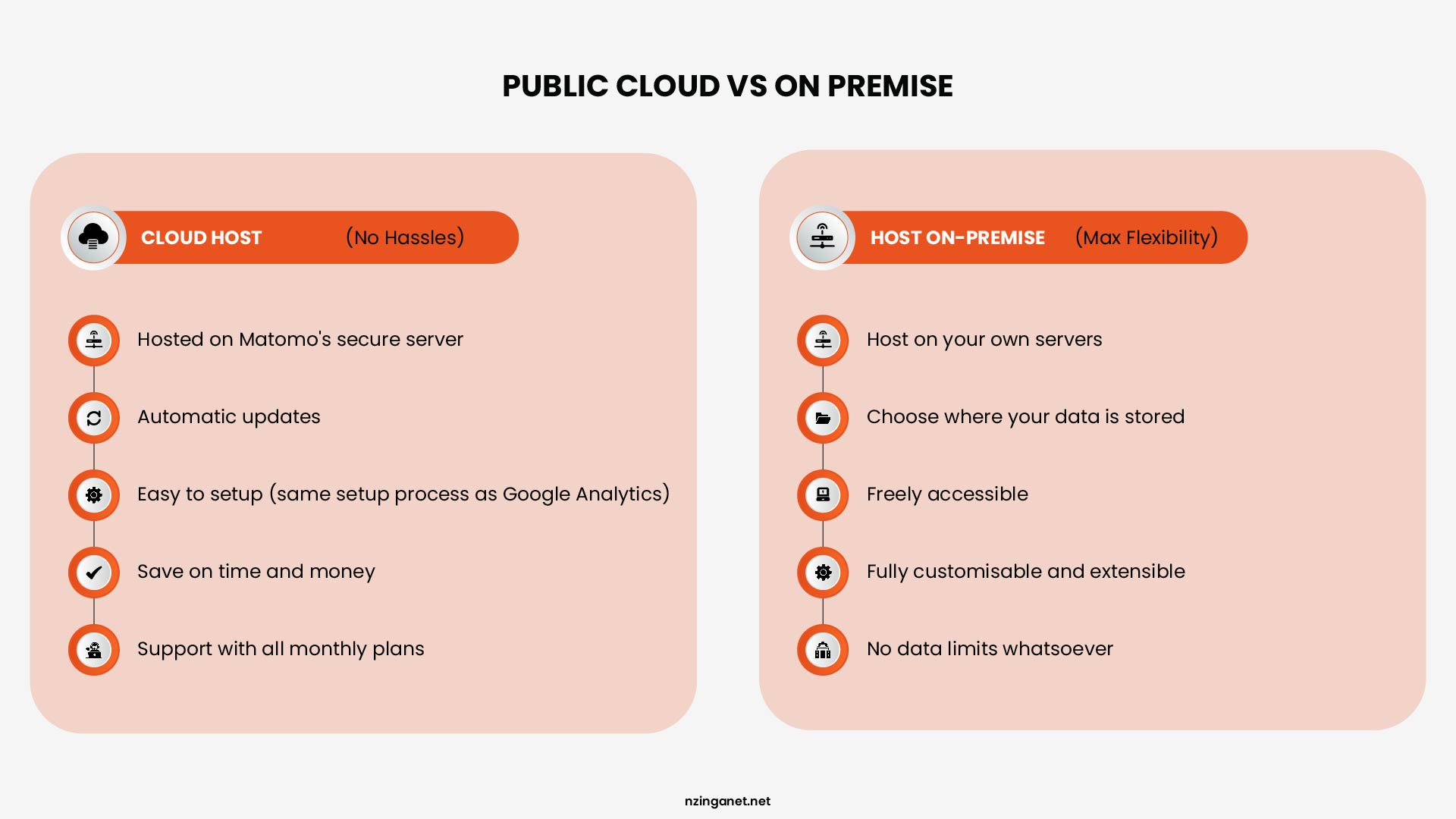
On-premise means your organization owns and operates its own servers, storage, and networking equipment. That hardware lives in your building or a colocation data center you pay for. Your IT team, or your managed IT service provider, installs software, applies patches, monitors uptime, and handles every hardware failure. You own the equipment. You control the decisions. You carry the responsibility.
One thing worth clarifying: on-premise and private cloud are not the same thing. A private cloud uses virtualization to make internal hardware behave like a cloud services environment, but the physical hardware still sits somewhere you manage. The terms get used interchangeably in vendor materials, which creates confusion. For this guide, on-premise means traditional server infrastructure that your organization owns and operates.
What Is Cloud Infrastructure?
Cloud infrastructure means renting computing resources from a provider, most commonly AWS, Microsoft Azure, or Google Cloud. You pay for what you use. The provider owns the physical hardware, operates the data centers, handles physical security, and manages everything below the operating system layer. You manage what runs on top of it: your applications, your data, your access policies.
Three deployment models of cloud infrastructure management matter here:
- Public cloud is shared infrastructure. Your workloads run on the same physical hardware as other customers' workloads, separated by software. AWS and Azure are public cloud.
- Private cloud is dedicated infrastructure hosted either on-site or in a third-party data center, configured exclusively for your organization.
- Hybrid cloud combines both. You keep certain workloads on-premise and run others in the cloud, with connectivity between the two environments.
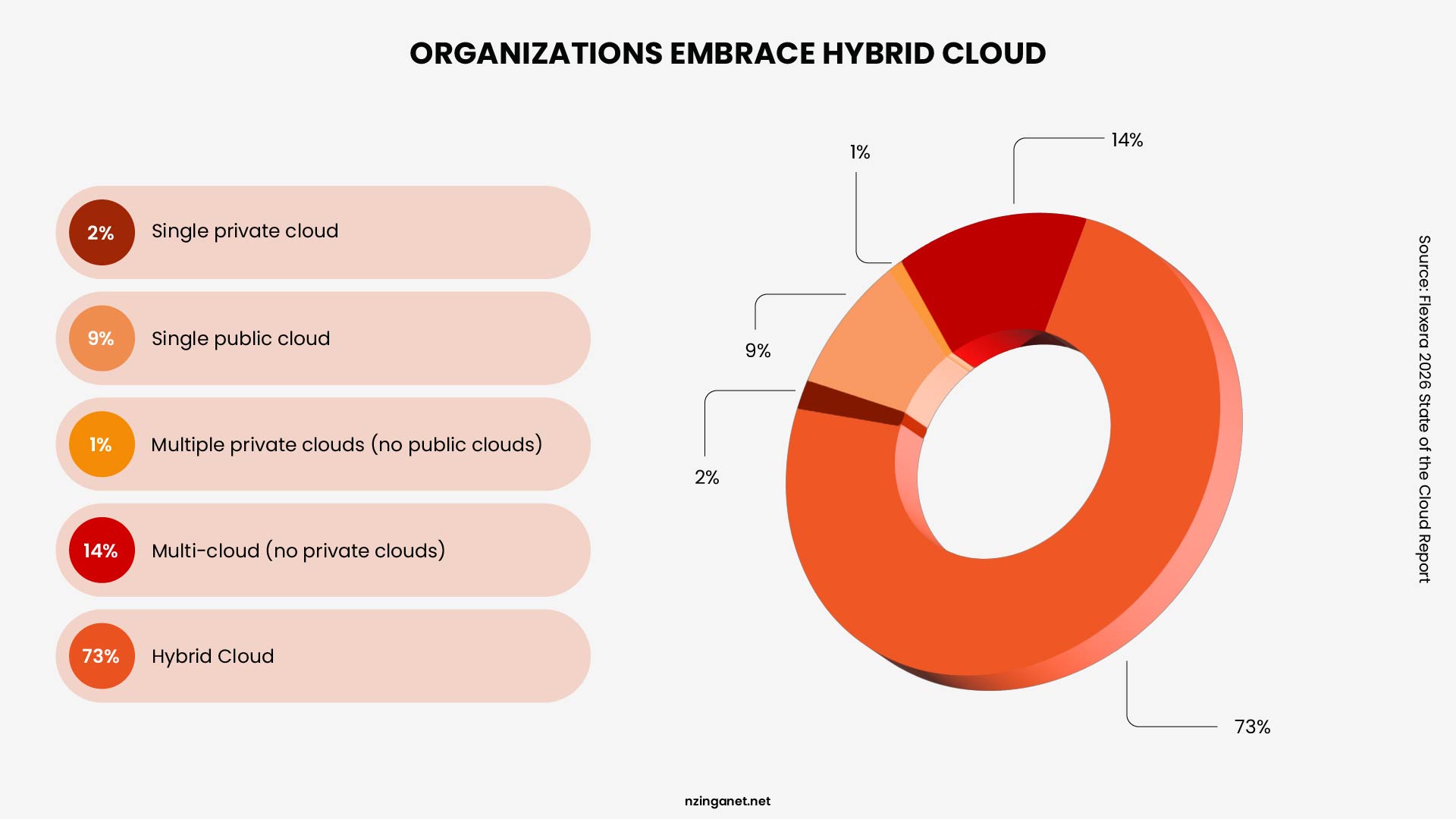
Today, many SMBs already use cloud services even if they do not consider themselves "cloud-first." Applications such as email, collaboration platforms, file sharing tools, and customer relationship management software often run entirely in the cloud.
As organizations adopt cloud services alongside existing on-premise systems, hybrid environments have become increasingly common. According to Flexera's 2026 State of the Cloud Report, 73% of organizations now operate hybrid estates.
Cloud vs On-Premise: Pros and Cons Comparison
| Factor | Cloud | On-Premise |
|---|---|---|
| Upfront Cost | Low | High |
| Ongoing Cost | Variable | More Predictable |
| Scalability | Excellent | Limited by Hardware |
| Control | Moderate | High |
| Maintenance | Lower | Higher |
| Disaster Recovery | Easier | More Complex |
| Compliance | Shared Responsibility | Full Responsibility |
What the Market Actually Looks Like Right Now
Before you weigh options, understand the context you are making this decision in.
Cloud adoption has not slowed. Global public cloud spending reached $723 billion in 2025. But the assumption that cloud is always the right move is collapsing. According to a Barclays CIO Survey from Q4 2024, 86% of CIOs plan to move some workloads from public cloud back to private or on-premise infrastructure, the highest rate ever recorded.
This has become a strategic maturation. Organizations that moved everything to the cloud in the early adoption wave are now recalibrating, placing each workload in the environment that actually fits its cost profile, performance requirement, and data governance need.
How Much Cloud vs On Premise Really Cost Over Ten Years?
There is no universal number that applies to every business. Costs depend on workload requirements, growth, staffing, and infrastructure design. The most reliable way to compare cloud and on premise models is to understand the categories of cost involved in each approach.
On Premise Costs
On premise infrastructure usually involves a significant upfront investment. Common cost areas include:
- Server and storage hardware
- Software licenses
- Power and cooling
- Hardware maintenance and replacement
- IT staff time for administration, monitoring, and updates
- Backup and disaster recovery systems
Most of the initial cost is paid at the start, followed by ongoing operational and maintenance expenses over time. Hardware is typically replaced on a multi year cycle as performance and reliability decline.
Over a ten year period, total cost of ownership varies widely depending on system size, redundancy requirements, and staffing levels. It depends heavily on how frequently infrastructure is refreshed and how much internal support is required.
Cloud Costs
Cloud infrastructure replaces upfront hardware purchases with recurring operating expenses. Common cost components include:
- Compute usage
- Storage and backup services
- Data transfer charges
- Managed services
- Support plans
Cloud costs accumulate monthly and change based on usage. As workloads grow or new services are added, total spend can increase over time. Some organizations also incur additional costs during migration and integration, which vary based on system complexity and scope of the project.
Comparing Total Cost of Ownership
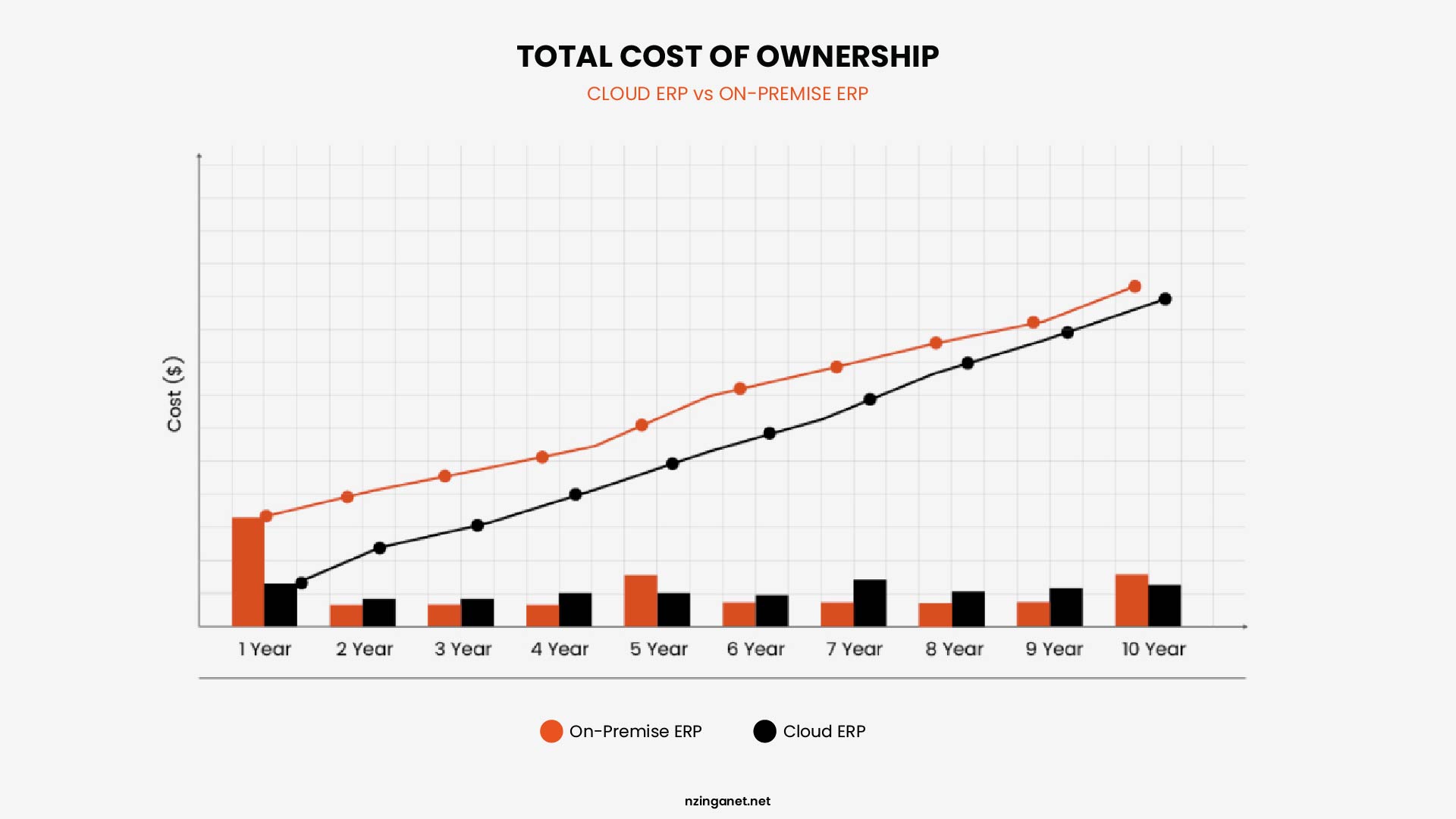
An analysis comparing cloud and on-premises ERP deployments found that cloud-based alternatives delivered cost savings of 66-71% over a ten-year period compared to on-premises solutions.
However, these savings were only realized when the total cost of ownership (TCO) for on-premises deployments included all associated costs. When organizations accurately budget for both deployment models, the cost difference narrows considerably.
Which Is More Reliable: Cloud or On-Premise Infrastructure?
Reliability means different things to different businesses. For some, reliability means no unplanned downtime. For others, it means predictable performance during peak hours. For many, it means not losing data when something goes down.
| Reliability Metric | Cloud | On Premise |
|---|---|---|
| Unplanned downtime per year (typical) | Minutes to several hours depending on region and configuration | Hours to days depending on budget and maintenance discipline |
| Data loss risk from hardware failure | Near zero due to automatic replication | Low to moderate. RAID helps but does not guarantee recovery. |
| Recovery time after a local disaster | Minutes to hours if you pay for multi region replication. Days if you do not. | Days to weeks without a secondary site. Hours with proper backup hardware on hand. |
| Performance consistency during peak load | Degrades gracefully. You can auto scale at additional cost. | Degrades sharply. You are stuck until you upgrade or replace hardware. |
Cloud delivers higher reliability for hardware failures, power outages, disk failures, and regional disasters because the provider builds infrastructure that no SMB can afford to replicate. However, cloud outages still happen, and multi region protection costs extra.
On premise delivers higher reliability only for internet outages. If your internet connection drops, your cloud systems become unavailable while your on premise systems keep running. For everything else, on premise reliability depends entirely on how much money and staff time you invest.
Which Model Offers Better Security and Compliance?
Security concerns keep more business owners from moving to the cloud than any other single factor. You need to know exactly where the risks move through in each model.
The Security Case for Cloud
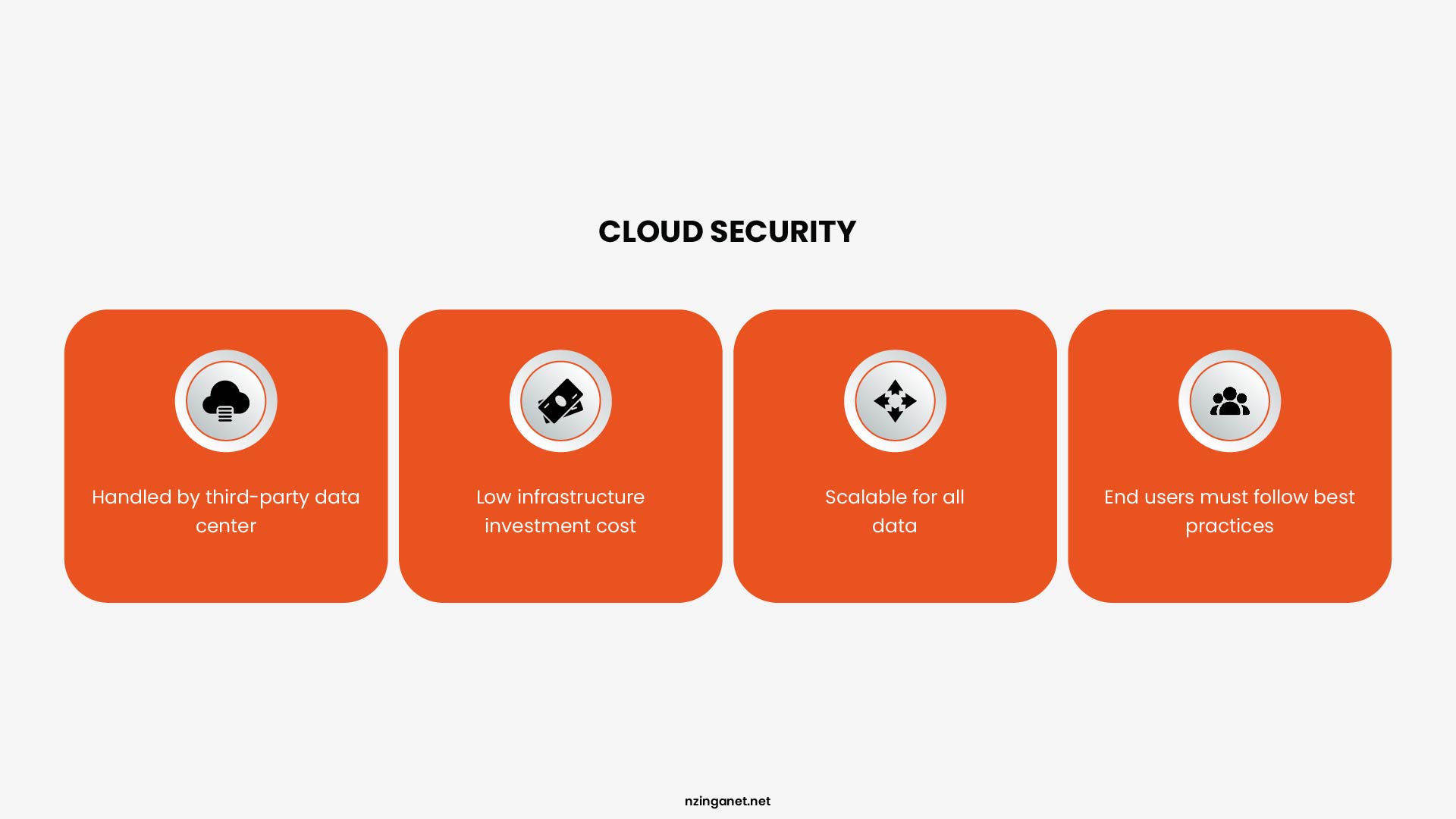
Cloud providers invest at a scale that no SMB can approach independently. AWS, Azure, and Google Cloud maintain ISO 27001, SOC 2 Type II, and dozens of other IT compliance certifications across their infrastructure. Their data centers have layered physical access controls, redundant power, 24/7 security personnel, and continuous threat monitoring. Your office building has a lock and probably a camera.
Patching is the more operationally significant advantage. When a critical vulnerability appears in a hypervisor or a network component, cloud providers patch it across their entire fleet within hours. On-premise environments depend on your IT team discovering that a patch exists, testing it, scheduling a maintenance window, and applying it.
For this reason, exposure time to known vulnerabilities is often shorter in well managed cloud environments, although outcomes still depend heavily on configuration, identity management, and operational practices rather than the hosting model alone.
The Security Case for On-Premise
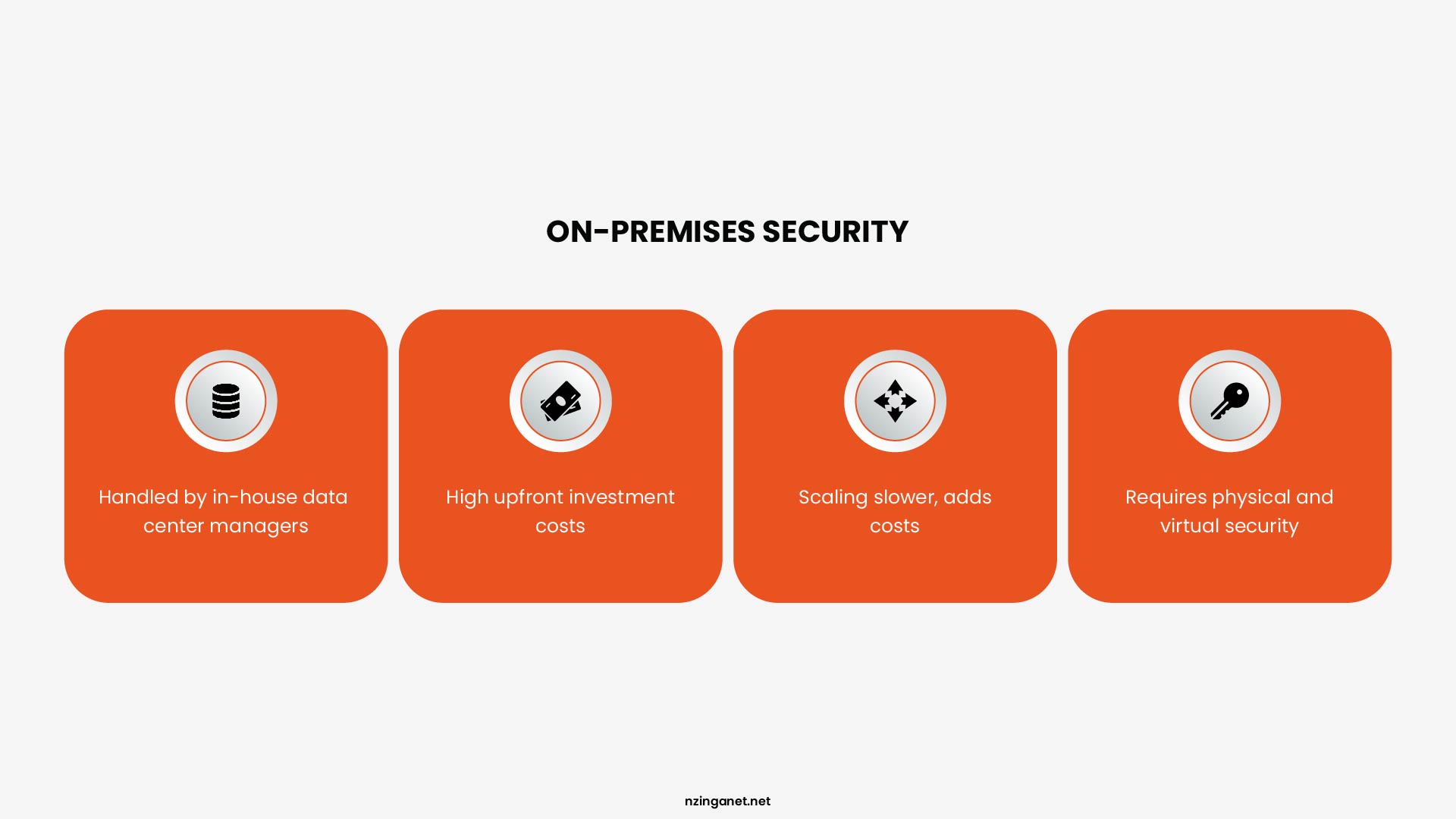
On-premise has one genuine structural security advantage: isolation. Data that never leaves your building is not exposed to cloud-side breaches, provider-level incidents, or internet-facing attack surfaces. That matters in specific contexts.
It also avoids what is currently the most common cause of cloud security failures. According to IBM, Gartner estimated 99% of cloud security failures are customer-driven, primarily due to misconfigurations, a trend that held through 2025 and continues into 2026.
Cloud providers secure the infrastructure layer. You are responsible for everything above it: identity and access management, storage permissions, API security, and how your users interact with the environment.
How Much IT Work Do You Actually Have to Manage Every Month?
Once cost, reliability, and security are out of the way, the decision usually comes down to something far more practical: how much ongoing IT work your business can realistically handle.
| Area | Cloud | On-Premise |
|---|---|---|
| Hardware maintenance | None | High and ongoing |
| System patching | Mostly automated | Manual and scheduled |
| Monitoring | Service-level dashboards | Full infrastructure monitoring |
| Issue resolution | Configuration + access fixes | Physical + system repairs |
| Vendor dependency | High (cloud provider) | Moderate (multiple hardware/software vendors) |
| Day-to-day effort | Lower, more strategic | Higher, more operational |
The Total Weekly Labor Difference
A typical on premise environment for a twenty person SMB requires fifteen to twenty five hours of skilled IT labor every week. That includes everything from hardware checks to backup testing to emergency response when something breaks.
A comparable cloud environment requires six to twelve hours per week. You eliminate hardware tasks entirely. You reduce patching and backup verification. Your team focuses on user support, application management, and cloud configuration.
The Staffing Reality
Fifteen to twenty five hours per week is not a part time job. It is a half time or full time position depending on your benefits and local labor market. If you do not have that person, you are either underpaying an overworked employee or you are ignoring maintenance tasks until something fails.
Six to twelve hours per week fits into a shared role. An office manager can handle cloud monitoring alongside other duties. A part time SMB IT consultant can cover it with a weekly visit. A full time IT person now has time for strategic projects instead of just keeping the lights on.
When Does On-Premise Make More Sense Than Cloud?
On-premise isn't the default choice anymore, but it still fits specific business situations where control, stability, or constraints matter more than flexibility.
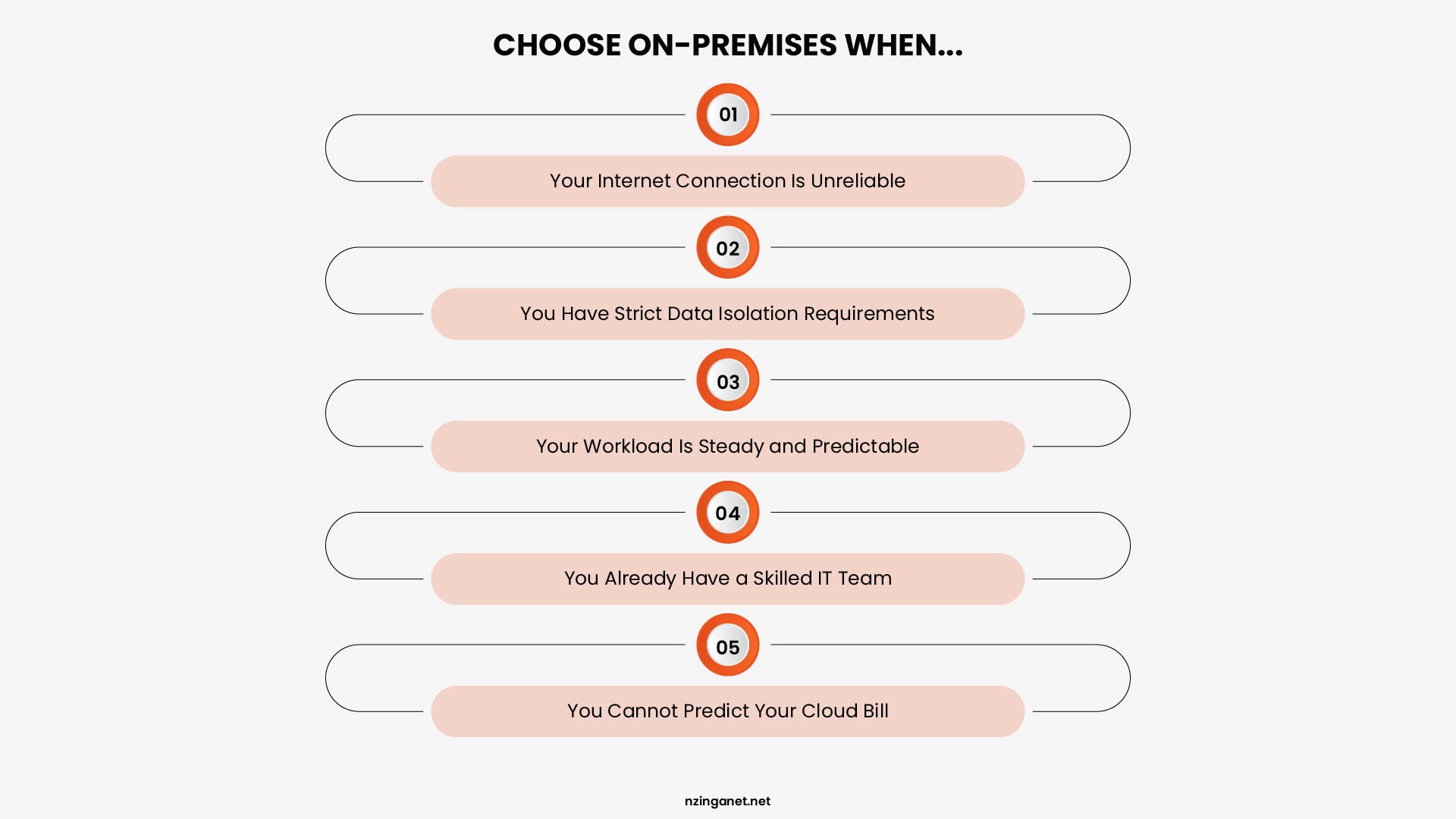
- Your Internet Connection Is Unreliable: Cloud requires a stable internet connection. If your office loses connectivity for hours each month due to your location or your local provider, the cloud becomes unusable during those outages. On premise keeps your internal systems running regardless of what happens to your internet line.
- You Have Strict Data Isolation Requirements: Some industries require customer data to remain on hardware you physically control. Legal firms with client confidentiality rules. Defense contractors with federal contracts. Certain healthcare setups where cloud based business associate agreements do not satisfy the compliance officer. On premise removes any argument about third party access.
- Your Workload Is Steady and Predictable: A workload that runs at consistent capacity twenty four hours a day, seven days a week, often costs less on premise after three years. You pay for the hardware once and run it until it depreciates. Cloud charges you for every single hour month after month. The math favors on premise for always on, never spiking workloads.
- You Already Have a Skilled IT Team: If you already employ a system administrator who understands hardware, patching, and backup verification, the labor cost of on-premise is already paid. That person exists on your payroll. Adding servers to their workload costs you nothing extra. Cloud would still require their time for configuration and governance, so the labor savings disappear.
- You Cannot Predict Your Cloud Bill: Some businesses cannot tolerate variable monthly expenses. A nonprofit with fixed grant funding. A local government office with line item budgets. A business owner who simply hates surprise bills. On premise gives you predictable costs after the upfront purchase. Cloud bills fluctuate with usage.
When Is Cloud the Better Choice for SMBs?
On premise works well in the specific scenarios we just covered. But those scenarios are the exceptions, not the rule. For most SMBs in 2026, cloud makes more sense. Here is when.
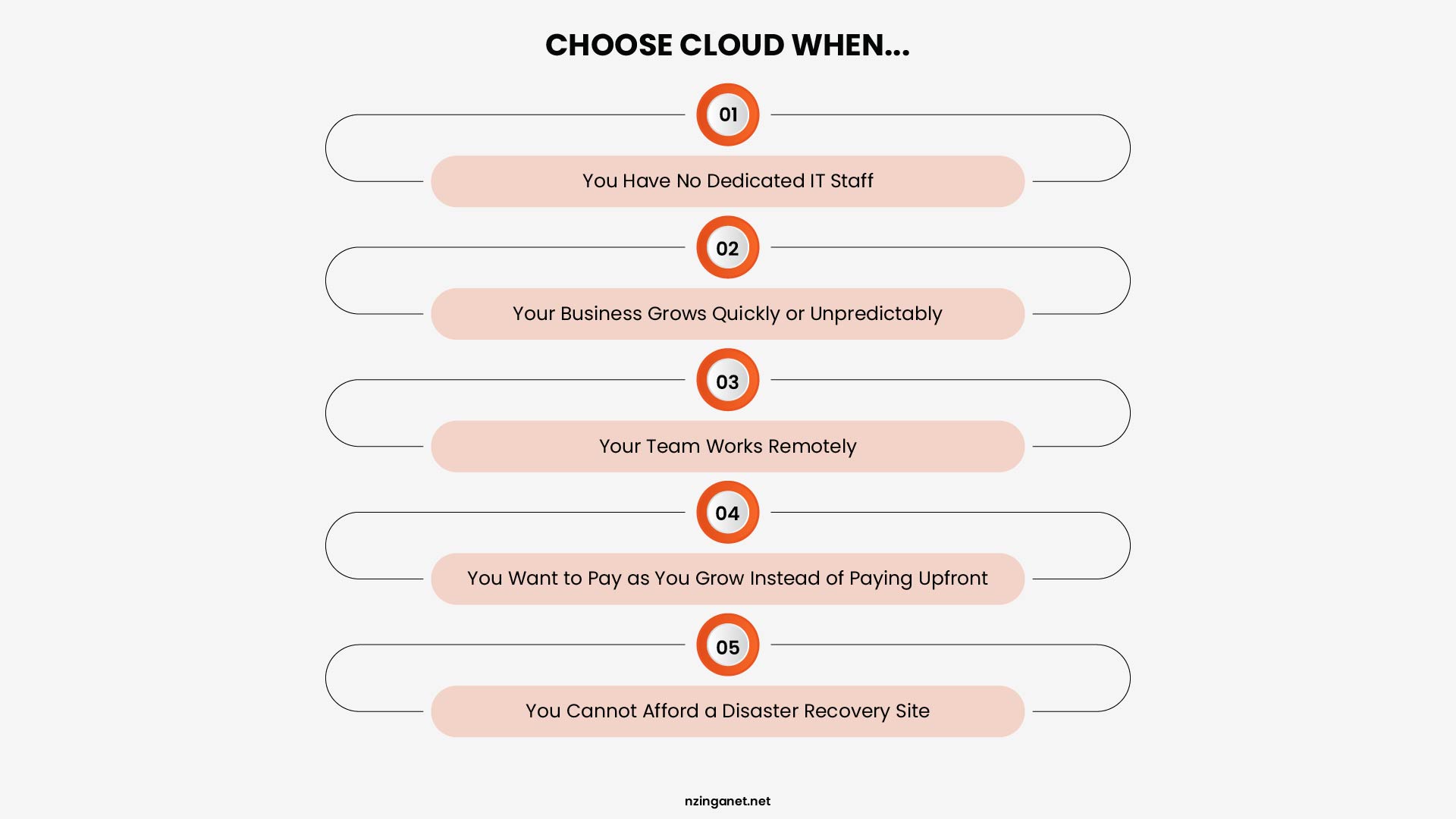
- You Have No Dedicated IT Staff: This is the most common reason SMBs choose cloud. If your business does not employ a full time system administrator, on premise becomes dangerous. Unpatched servers get hacked. Untested backups fail when you need them. Failed hard drives stay failed until someone figures out what happened. Cloud removes the hardware maintenance burden entirely. Your team manages only users and applications.
- Your Business Grows Quickly or Unpredictably: A growing SMB adds employees, opens new locations, or launches new products without six months of advance notice. On premise forces you to forecast your peak capacity and buy hardware before you need it. If you guess low, you run out of capacity. If you guess high, you wasted money on idle servers. Cloud lets you add resources in minutes and pay only for what you actually use.
- Your Team Works Remotely: On premise servers work best when employees sit in the same building. Remote access requires VPNs, which add complexity and slow down performance. Cloud services are built for internet access. Your remote employees connect directly without jumping through a corporate VPN. Performance depends only on their local connection speed.
- You Want to Pay as You Grow Instead of Paying Upfront: Cash flow matters more than total cost for many SMBs. Cloud converts a fifty thousand dollar hardware purchase into a two thousand dollar monthly expense. That preserves working capital for payroll, marketing, or inventory. If your business values cash preservation over five year cost optimization, cloud wins regardless of the total math.
- You Cannot Afford a Disaster Recovery Site: Building a second on premise location for disaster recovery costs nearly as much as your primary site. Most SMBs skip this entirely. Cloud gives you built in disaster recovery across regions. You pay extra for multi region replication, but that extra cost is a fraction of maintaining a second server room.
The Hybrid Model Approach
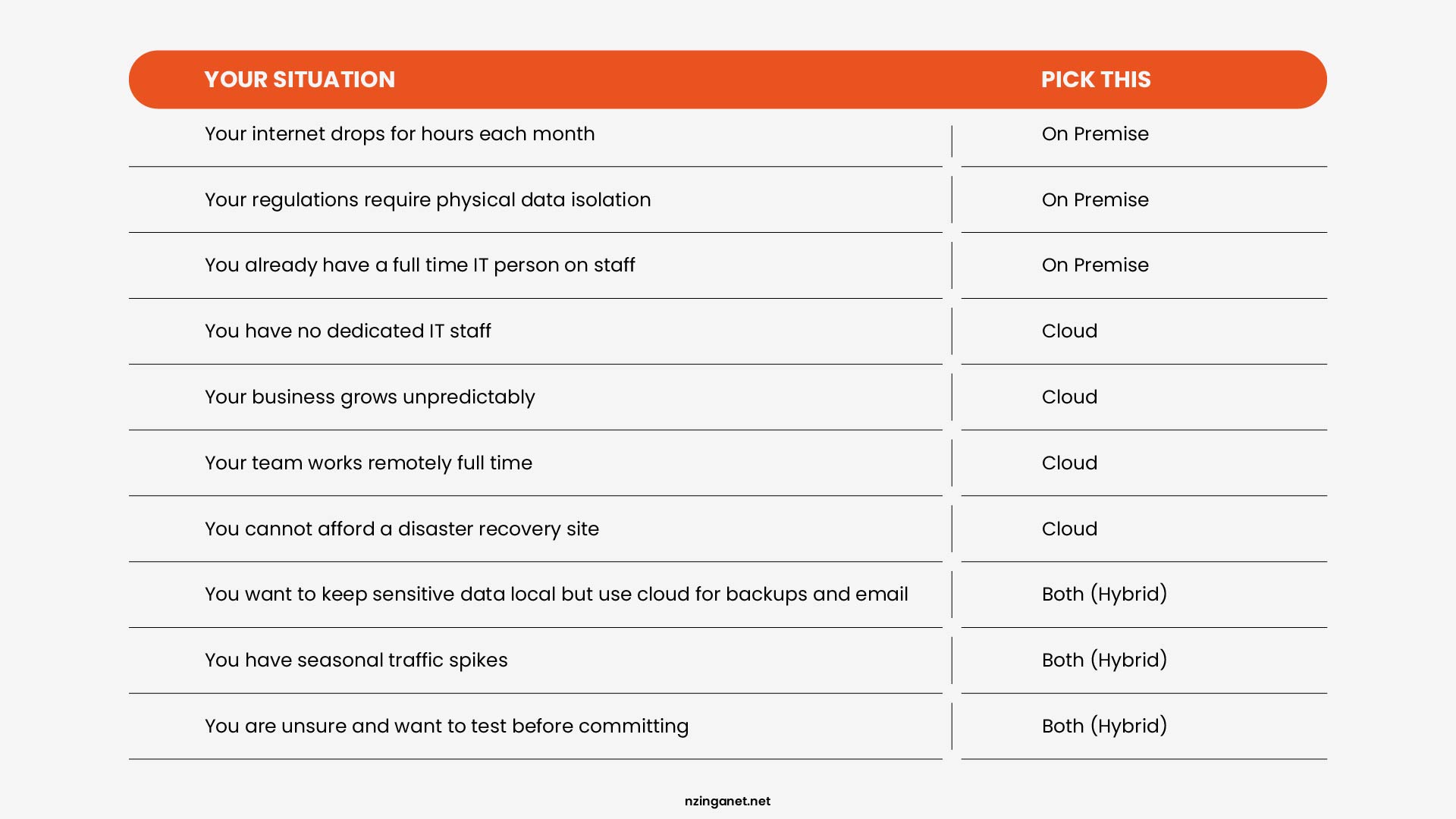
Hybrid means you run some systems on premise and some systems in the cloud, with connectivity between them. Done well, it is a deliberate architecture that routes each workload to whichever environment serves it best.
A realistic hybrid setup for a 50-person professional services firm might look like this: Microsoft 365 runs in Microsoft's cloud for email, file storage, and collaboration. A core line-of-business application handling sensitive client data runs on-premise, where it also integrates with local systems at lower latency.
Backup copies of on-premise data replicate to cloud storage. Development and test environments run in the cloud because they need flexible capacity and handle no production data.
This architecture is not complicated, but it requires intentional design. The organizations that arrive at hybrid accidentally, through a series of unconnected migration decisions rather than a deliberate plan, typically end up managing two environments' worth of complexity without the cost savings that intentional hybrid design produces.
Need a Second Opinion Before You Commit?
If you want a clear, practical recommendation, NzingaNet can help. We assess your current infrastructure, workload patterns, security requirements, growth plans, and internal IT capacity to identify what makes the most sense for your organization.
Whether that means staying on-premise, moving to the cloud, or adopting a hybrid approach, the goal is to create an environment that is reliable, cost-effective, and aligned with your business needs. Schedule a consultation with NzingaNet to get an expert assessment of your current setup and a roadmap for where your infrastructure should go next.
COMMON QUESTIONS
Frequently Asked Questions
1. Is cloud more secure than on-premise?
Neither is inherently more secure. Cloud providers invest heavily in infrastructure security, but customer misconfigurations remain the top vulnerability. On-premise gives you full control, but only if you have the expertise to implement and maintain strong security practices. Outcomes depend on implementation, not location.
2. What does on-premise mean for a small business?
On-premise means your organization owns and operates its own servers, storage, and networking equipment, typically housed in your office or a co-location facility. You are responsible for hardware procurement, software licensing, security, maintenance, and staffing.
3. What is the difference between on-premise and cloud?
The fundamental difference is location and responsibility. On-premise runs on hardware you own and manage in your own facility. Cloud delivers the same capabilities as a service from a third-party provider, accessed over the internet. The core tradeoff is control versus flexibility.
4. Which is cheaper in the long run?
For stable, predictable workloads over seven or more years, on-premise is often cheaper once hardware is amortized. For variable workloads or shorter timeframes, cloud typically wins on total cost of ownership. Most mid-market organizations see cloud as cheaper over five years, but the margin is smaller than marketing suggests.
5. Can I use both cloud and on-premise together?
Yes, and most organizations do. Hybrid architecture, where sensitive or steady-state workloads remain on-premise while scalable or less-sensitive workloads run in the cloud, has become the default strategy for enterprises and increasingly for SMBs.
PENNSYLVANIA & BEYOND
Not Sure Whether Cloud, On-Premise, or Hybrid Is Right for You?
NzingaNet helps small and mid-sized businesses across Pennsylvania and the surrounding region evaluate their infrastructure options and manage whichever mix of cloud and on-premise systems fits their cost, security, and growth needs.